GPT Image 2 API
Image APIHOTGPT Image 2 API is built for production image generation workflows that need prompt-driven creation, reference image editing, and predictable API payloads. Use it to create campaign visuals, product shots, social creatives, and design mockups without leaving the SdanceAI generation flow.
The current integration exposes Text to Image and Image to Image variants with 1K, 2K, and 4K pricing tiers, plus common aspect ratios for square, vertical, horizontal, and portrait outputs.
Lowest cost starts at $0.005/s
1K: 6 credits - Text to Image - Fixed per generation
2K: 10 credits - Text to Image - Fixed per generation
4K: 16 credits - Text to Image - Fixed per generation
1024x768: 1 credits/image - Text to Image - Images × 1
1024x768: 2 credits/image - Text to Image - Images × 2
1024x768: 8 credits/image - Text to Image - Images × 8
1024x768: 13 credits/image - Text to Image - Images × 13
1024x768: 29 credits/image - Text to Image - Images × 29
768x1024: 1 credits/image - Text to Image - Images × 1
768x1024: 2 credits/image - Text to Image - Images × 2
768x1024: 8 credits/image - Text to Image - Images × 8
768x1024: 13 credits/image - Text to Image - Images × 13
768x1024: 29 credits/image - Text to Image - Images × 29
1024x1024: 2 credits/image - Text to Image - Images × 2
1024x1024: 3 credits/image - Text to Image - Images × 3
1024x1024: 11 credits/image - Text to Image - Images × 11
1024x1024: 19 credits/image - Text to Image - Images × 19
1024x1024: 43 credits/image - Text to Image - Images × 43
1024x1536: 1 credits/image - Text to Image - Images × 1
1024x1536: 3 credits/image - Text to Image - Images × 3
1024x1536: 9 credits/image - Text to Image - Images × 9
1024x1536: 15 credits/image - Text to Image - Images × 15
1024x1536: 33 credits/image - Text to Image - Images × 33
1536x1024: 1 credits/image - Text to Image - Images × 1
1536x1024: 3 credits/image - Text to Image - Images × 3
1536x1024: 9 credits/image - Text to Image - Images × 9
1536x1024: 15 credits/image - Text to Image - Images × 15
1536x1024: 33 credits/image - Text to Image - Images × 33
1920x1080: 1 credits/image - Text to Image - Images × 1
1920x1080: 3 credits/image - Text to Image - Images × 3
1920x1080: 8 credits/image - Text to Image - Images × 8
1920x1080: 15 credits/image - Text to Image - Images × 15
1920x1080: 32 credits/image - Text to Image - Images × 32
1080x1920: 1 credits/image - Text to Image - Images × 1
1080x1920: 3 credits/image - Text to Image - Images × 3
1080x1920: 8 credits/image - Text to Image - Images × 8
1080x1920: 15 credits/image - Text to Image - Images × 15
1080x1920: 32 credits/image - Text to Image - Images × 32
2560x1440: 2 credits/image - Text to Image - Images × 2
2560x1440: 3 credits/image - Text to Image - Images × 3
2560x1440: 12 credits/image - Text to Image - Images × 12
2560x1440: 20 credits/image - Text to Image - Images × 20
2560x1440: 45 credits/image - Text to Image - Images × 45
1440x2560: 2 credits/image - Text to Image - Images × 2
1440x2560: 3 credits/image - Text to Image - Images × 3
1440x2560: 12 credits/image - Text to Image - Images × 12
1440x2560: 20 credits/image - Text to Image - Images × 20
1440x2560: 45 credits/image - Text to Image - Images × 45
3840x2160: 3 credits/image - Text to Image - Images × 3
3840x2160: 6 credits/image - Text to Image - Images × 6
3840x2160: 21 credits/image - Text to Image - Images × 21
3840x2160: 36 credits/image - Text to Image - Images × 36
3840x2160: 81 credits/image - Text to Image - Images × 81
2160x3840: 3 credits/image - Text to Image - Images × 3
2160x3840: 6 credits/image - Text to Image - Images × 6
2160x3840: 21 credits/image - Text to Image - Images × 21
2160x3840: 36 credits/image - Text to Image - Images × 36
2160x3840: 81 credits/image - Text to Image - Images × 81
USD estimates use $0.005/credit with the best annual plan. Final billing follows the selected resolution and model variant.
Core request fields
Use a compact payload for prompt, source images, aspect ratio, resolution, callback, and safety settings.
{
  "model": "gpt-image-2-5-flare-text-to-image",
  "input": {
    "prompt": "A cinematic night city poster with neon reflections on a rainy street.",
    "aspect_ratio": "3:2",
    "resolution": "1K",
    "background": "transparent"
  }
}
Use GPT Image 2.5 Flare Text to Image for generation
The playground, request sample, request fields, and pricing on this page follow the selected model type.
View detailed API docsOpen the full API documentation for endpoints, authentication, task polling, and payload details. /models/gpt-image-2.md
promptstringText prompt. Required, maximum 20,000 characters.aspect_ratioenumThe aspect ratio of the generated image is set to auto by default. The 27:16, 16:27, 9:8 and 8:9 aspect ratios support 1K only. 2K and 4K are available for other aspect ratios. (auto, 1:1, 3:2, 2:3, 4:3, 3:4, 16:9, 9:16, 21:9, 27:16, 16:27, 9:8, 8:9)resolutionenumImage resolution (1K, 2K, 4K)backgroundenumImage background (transparent, opaque, auto)What GPT Image 2 API adds to your image workflow
The page follows the same API-first structure as the reference: test the model, understand the fields, then move into integration.
Text-to-image creation
Turn structured prompts into production-ready visuals for posters, ads, thumbnails, concept art, and product scenes.
Reference image editing
Use image inputs to preserve subject context while changing style, background, layout, lighting, or product presentation.
Resolution tiers
Select 1K, 2K, or 4K output tiers to balance iteration cost, preview quality, and final asset sharpness.
API-ready payloads
Work with model IDs, callback URLs, prompt text, input image URLs, aspect ratios, and resolution fields in one predictable request.
From prompt test to image API request
A direct path for teams that want to validate image quality before wiring generation into an app or content pipeline.
1. Choose a mode
Select Text to Image for new visuals or Image to Image when you want reference-guided edits.
2. Submit generation
Call the API with your account key, model ID, prompt, optional input image URLs, aspect ratio, and resolution.
3. Poll and use
Track the task until it succeeds, then use the generated image result in your app, campaign, or asset library.
What you can create with GPT Image 2 API
Use the API when your product needs repeatable, high-quality image generation rather than one-off manual exports.
Successful GPT Image 2 generations from the community
Browse public GPT Image 2 outputs that finished successfully, then open any case to inspect the prompt, settings, and result.
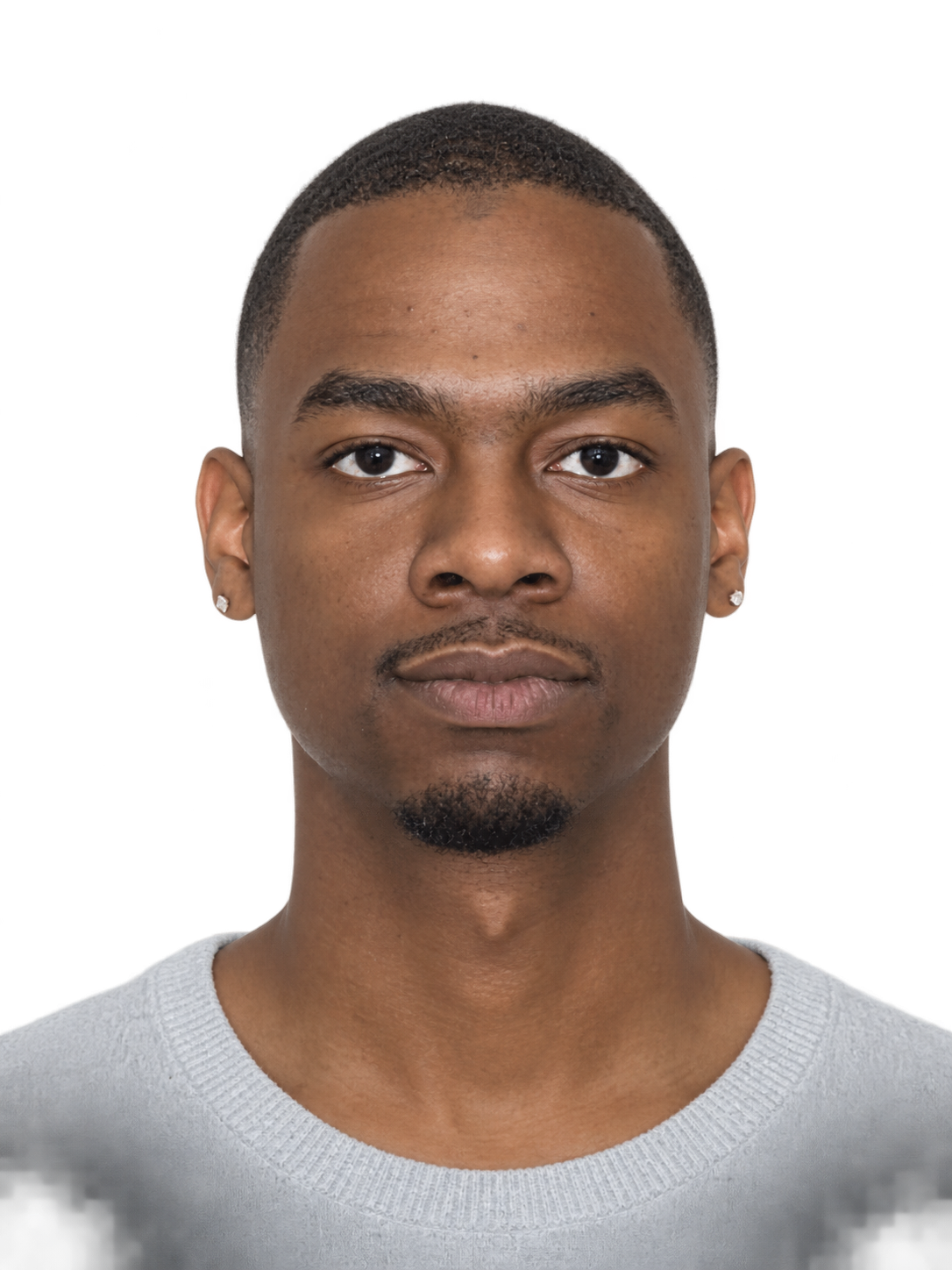
GPT Image 2 - Image To Image
把这张照片修改成纯白色背景的证件照,背景白色!白色!
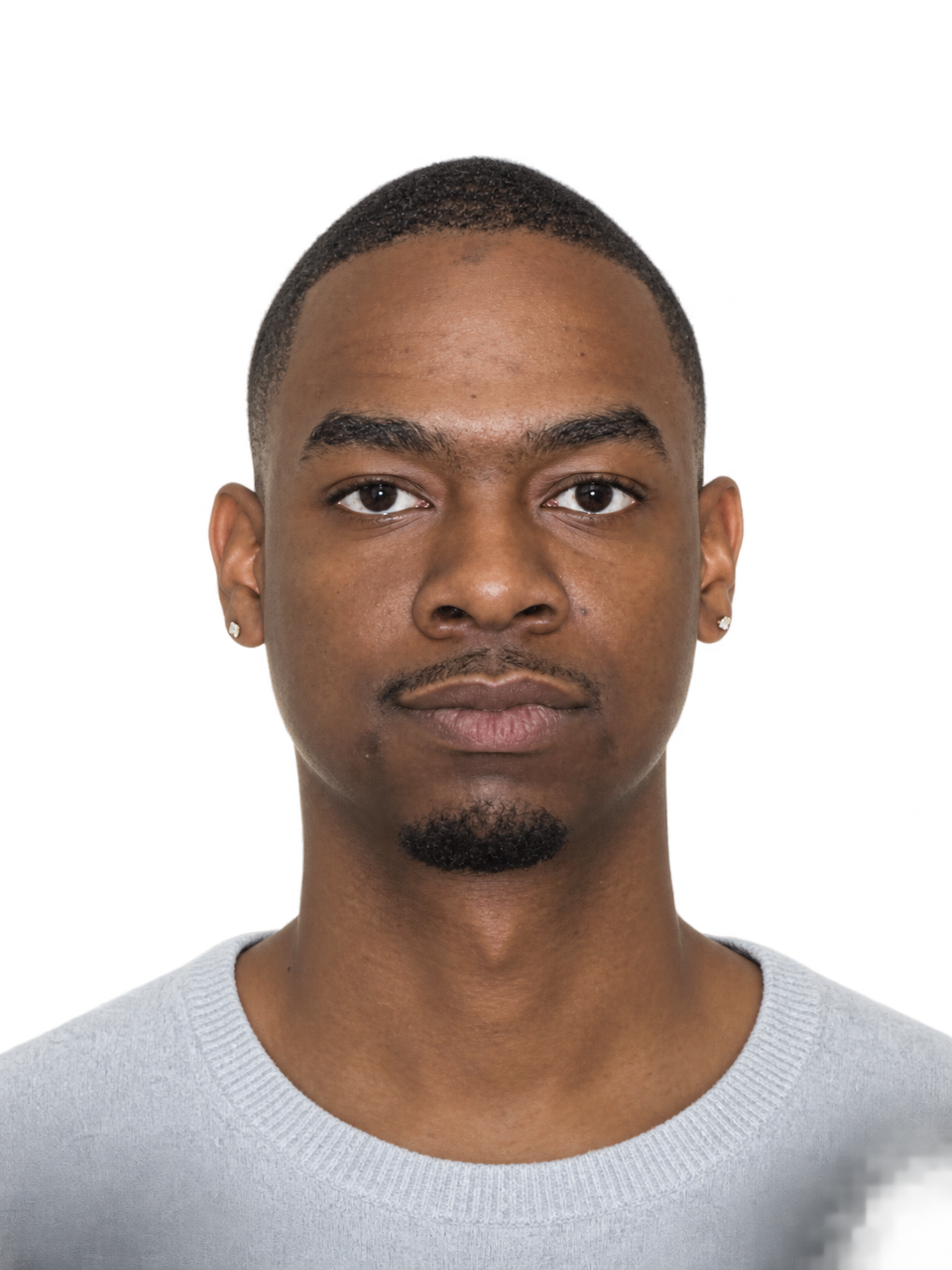
GPT Image 2 - Image To Image
把这张照片修改成纯白色背景的证件照

GPT Image-2 - Text to Image
标题:天寒地冻的颓废日子里,山东体育频道让我看到阳光。 正文:2017年的冬天我在鲁西北某不知名石油城市上高三,11月的下午大多是蓝天白云的,让人心生一种冲出去走走的向往。然而这不现实,哪怕这一天是周日我们也要坐在教室里为这次临时发起的数学测试争分夺秒,不敢有丝毫懈怠。我因为这难得的好天气而无心学习,草草交了试卷就收拾东西请假溜回家去了。这天是山东男篮新赛季的第一场比赛,我胡乱找了个理由请假回家,还特意和老师强调晚上没有比赛。 到家时好天气早已经过去,四下里是一片漆黑,风吹在腿上很刺骨,其实却才六点钟不到。母亲已然得知我回家的消息,早早在家里守候着,哪怕心里觉得儿子在高三还吊儿郎当,嘴上也没有表现出什么,只是不停地嘘寒问暖。冷是真真切切冷在身上的,母亲也看了出来,干脆拿出火锅底料和一堆乱七八糟类似麻辣烫的食材,说是给我煮一锅乱炖,好好暖暖身子。 我趁着母亲做饭摁开了电视,直接找到了山东体育频道。有山东队球赛的时候它永远是第一选择。距离比赛开始还有一段时间,高高大大的前方记者蒲泽在球场里采访着山东队的队员们,演播室里的球迷也各抒己见。那一年的山东队,每一个人都在好奇他们能够在球场上拿出怎样的表现,甚至有没有为山东带走冠军的可能。 母亲把做好的一大碗乱炖端了过来,我去厨房拿了勺子筷子,这是我家吃饭的常规操作。我把脸埋进碗里,让掺杂了辣椒和各种调料的汤汁一点点滑过我的口腔,眼镜上起了一层雾,电视的画面也就看不清了。这场比赛的对手是山西队,山东球员李敬宇和刘冠岑都在那年加盟山西,球队主教练杨文海也是山东名宿,电视里和餐桌旁,都是回家的氛围。 我吸了吸鼻子,吃光了碗里的最后一块豆腐。毕竟是一个高三学生,哪怕再无心学习也还是要装装样子的,赶紧回到房间拿出一本作文选,翻看着上面类似小说的精彩片段,美其名曰学语文。忙碌了一天的母亲开着电视在沙发上睡着了,我能略微听到一丝丝山东体育频道的声音,好像现场的DJ无数次喊了丁彦雨航的名字,我这才稍稍放下心来,继续看我的作文选去了。 估摸着时间差不多,我冲出房间,告诉母亲自己需要休息,便大摇大摆地看起球赛。母亲给我打了一壶开水,我泡着脚,看球赛,母亲和在外地工作的父亲连上了视频,父亲也在看着这场比赛,我们就一起称赞丁彦雨航的表现。 丁彦雨航在比赛最后时刻投进了准绝杀,全场砍下42分,毫无疑问成了全场最闪耀的明星,那个梦幻般的赛季也用这样一场惊险刺激的胜利打了头阵。比赛结束后我并没有离开电视机前,反正作文选也翻得差不多了,干脆继续坐在沙发上和父母聊着天。我那时是两周回家一次,当时其实也不过是一周没见,但和父母之间的话却意外地说不完,母亲忽然就来了一句:“等你去上大学,我连两周见你一次都那么困难了……”我一时不知道说些什么。 后来我就到北京上了大学,每逢比赛日,我总是会一个人早早准备好,戴上耳机,打开电脑,独自享受山东男篮带给我的快乐。寒假回家恰逢CBA赛事如火如荼,我坐在沙发上吃着水果,外面的寒冷都和我无关。母亲做好了饭菜,父亲打开二锅头,山东队坐镇主场,又赢了一场比赛,赢得酣畅淋漓,格外痛快。电视里的山东解说言语间透着兴奋和幸福,屏幕外的我,也一样。 把这段文字生成一个手写体作文的效果。
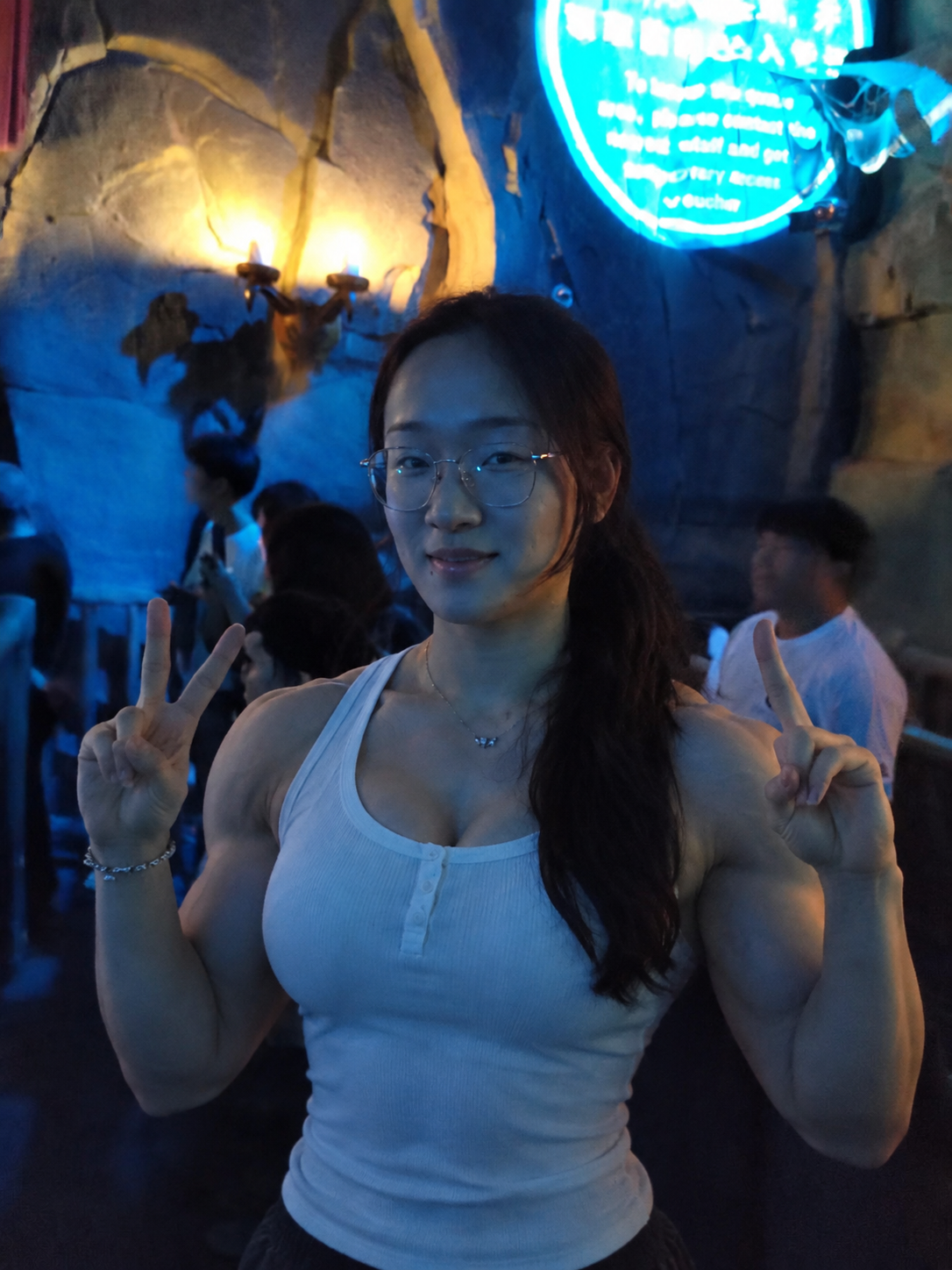
GPT Image 2 - Image To Image
将图中人物的身材变成特别健硕,像锻炼了很久那样
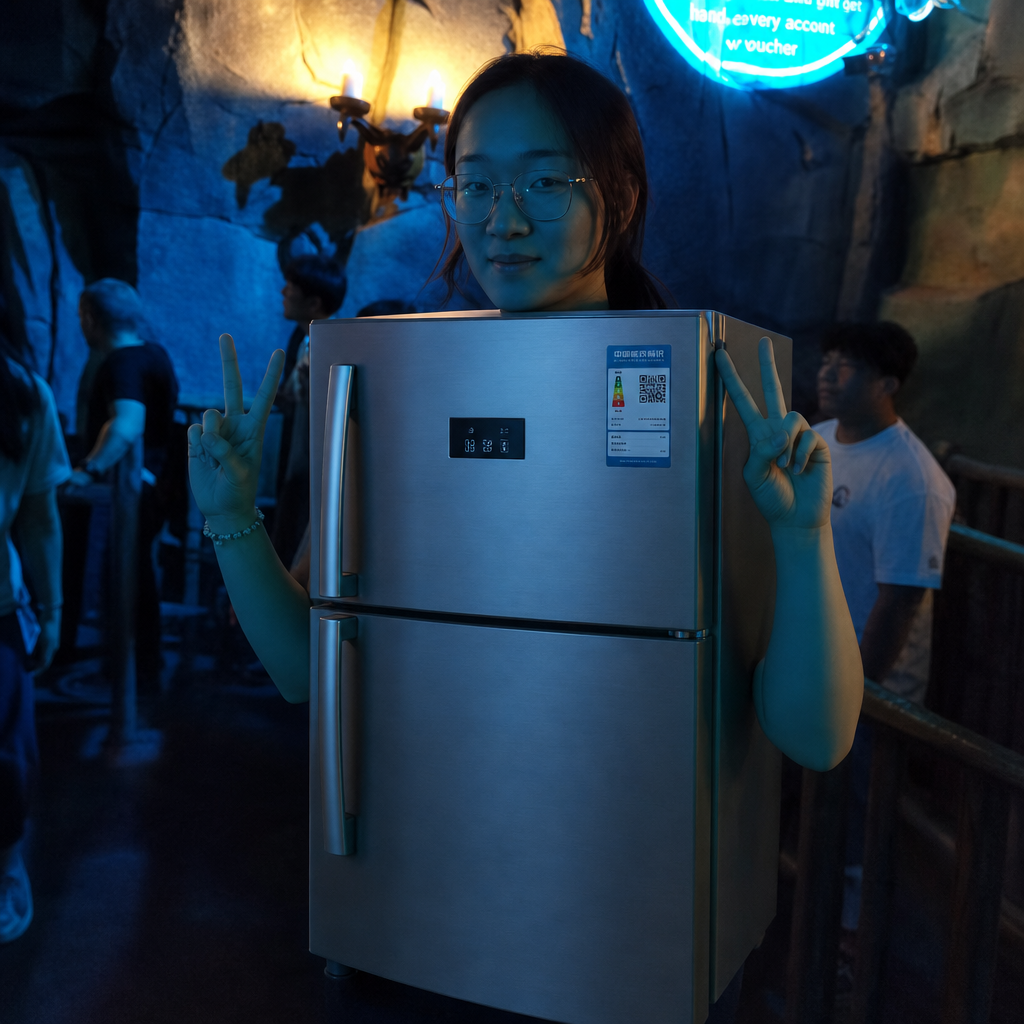
GPT Image 2 - Image To Image
将图中人物的身材变成双开门冰箱
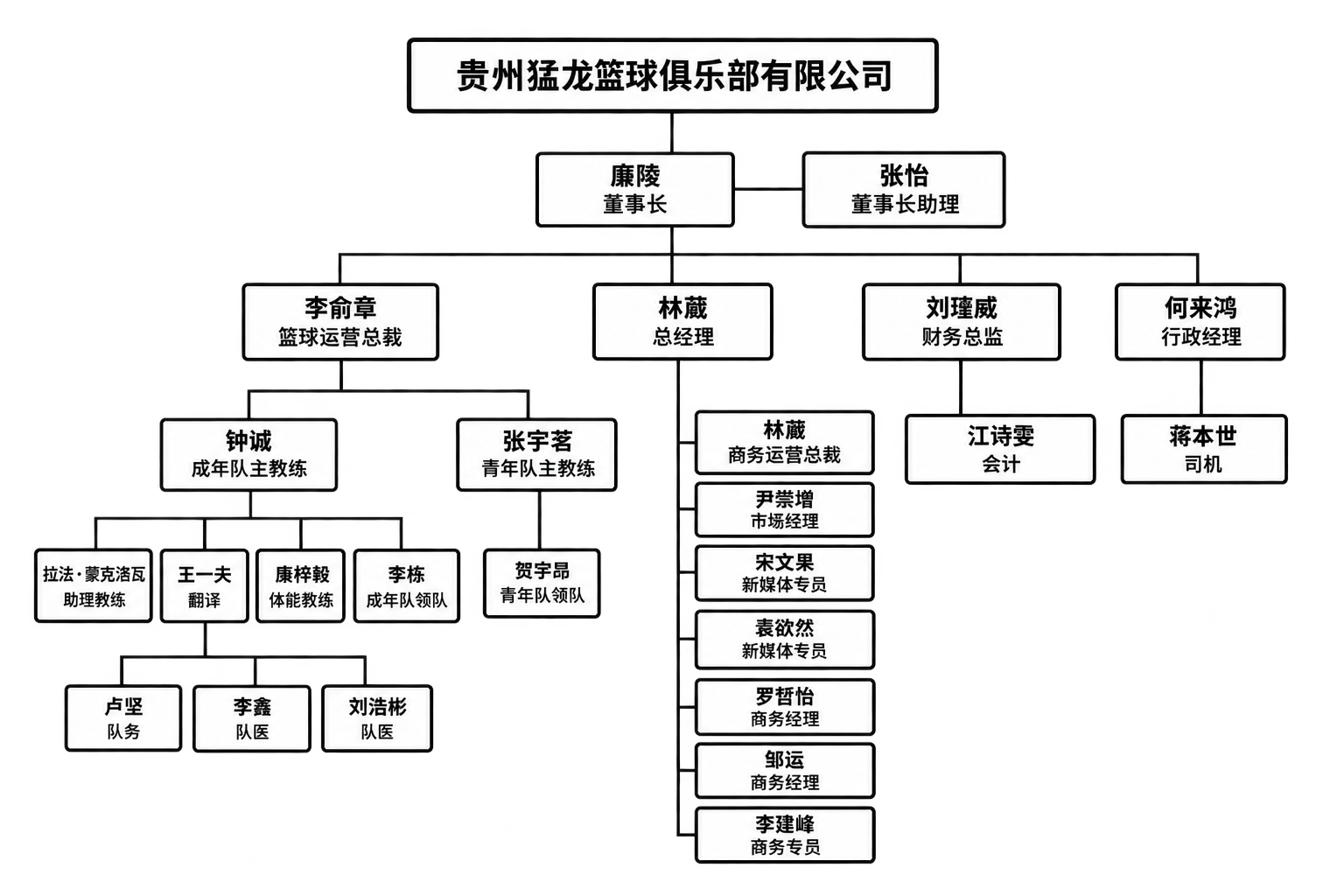
GPT Image-2 - Text to Image
廉陵 董事长 张怡 董事长助理 林葳 总经理 李俞章 篮球运营总裁 钟诚 成年队主教练 拉法·蒙克洛瓦 助理教练 王一夫 翻译 康梓毅 体能教练 李栋 成年队领队 卢坚 队务 李鑫 队医 刘浩彬 队医 张宇茗 青年队主教练 贺宇昂 青年队领队 林葳 商务运营总裁 尹崇增 市场经理 宋文果 新媒体专员 袁欲然 新媒体专员 罗哲怡 商务经理 邹运 商务经理 李建峰 商务专员 刘瑾威 财务总监 江诗雯 会计 何来鸿 行政经理 蒋本世 司机 根据我提供的文字,生成一份“贵州猛龙篮球俱乐部有限公司组织结构图“,每一个人的位置上姓名放在岗位上面,用黑框白底
Built for real image API workflows
Account-gated execution
Users sign in, submit jobs, and consume credits through the existing SdanceAI generation flow.
Input image handling
Image to Image accepts source image URLs, so teams can keep references in their own asset pipeline while generating new variations.
Cost-aware resolution
Start with 1K for fast iteration, then move to 2K or 4K when the prompt and visual direction are ready.
GPT Image 2 API questions
What is GPT Image 2 API best for?
It is best for prompt-based image generation and reference-guided image editing, including product visuals, ads, social creatives, posters, and design mockups.
What is the difference between Text to Image and Image to Image?
Text to Image starts from a prompt only. Image to Image uses one or more source image URLs plus a prompt, making it better for edits, variations, and reference-preserving workflows.
Which resolutions are available?
The current API configuration includes 1K, 2K, and 4K pricing tiers. Choose lower resolution for iteration and higher resolution for final assets.
Which aspect ratios can I use?
The available aspect ratios include auto, 1:1, 9:16, 16:9, 4:3, and 3:4. Match the ratio to your target channel before generating final assets.
How many input images can Image to Image use?
The configured image-to-image payload supports input image URL arrays, with up to 16 source images.
Where can I test it before integrating?
Use the playground on this page to test prompts, input image URLs, aspect ratio, resolution, and API payload behavior before moving into production.
Can I use GPT Image 2 API for commercial workflows?
This page is configured for production image workflows. For commercial use, review your account plan, credit balance, model availability, and applicable content policy requirements.
Does the API support callbacks?
Yes. The request schema includes an optional callback URL so your service can receive task completion notifications.
How should I manage cost?
Use 1K for prompt exploration and bulk drafts, then regenerate selected winners at 2K or 4K when you need sharper final output.
Can I edit existing product photos?
Yes. Use Image to Image with source image URLs and a prompt that describes the exact background, lighting, layout, or styling changes you need.
Turn GPT Image 2 into your image workflow
Open the generator, test a prompt or reference image, then use the API docs when you are ready to connect GPT Image 2 to production.