359 条提示词 · 每日更新 · 完全免费

AI 提示词库

汇集全球创作者的精选图像、视频与建站提示词。复制任意一条,替换主体或风格,即可用最新模型生成。

共 37 条

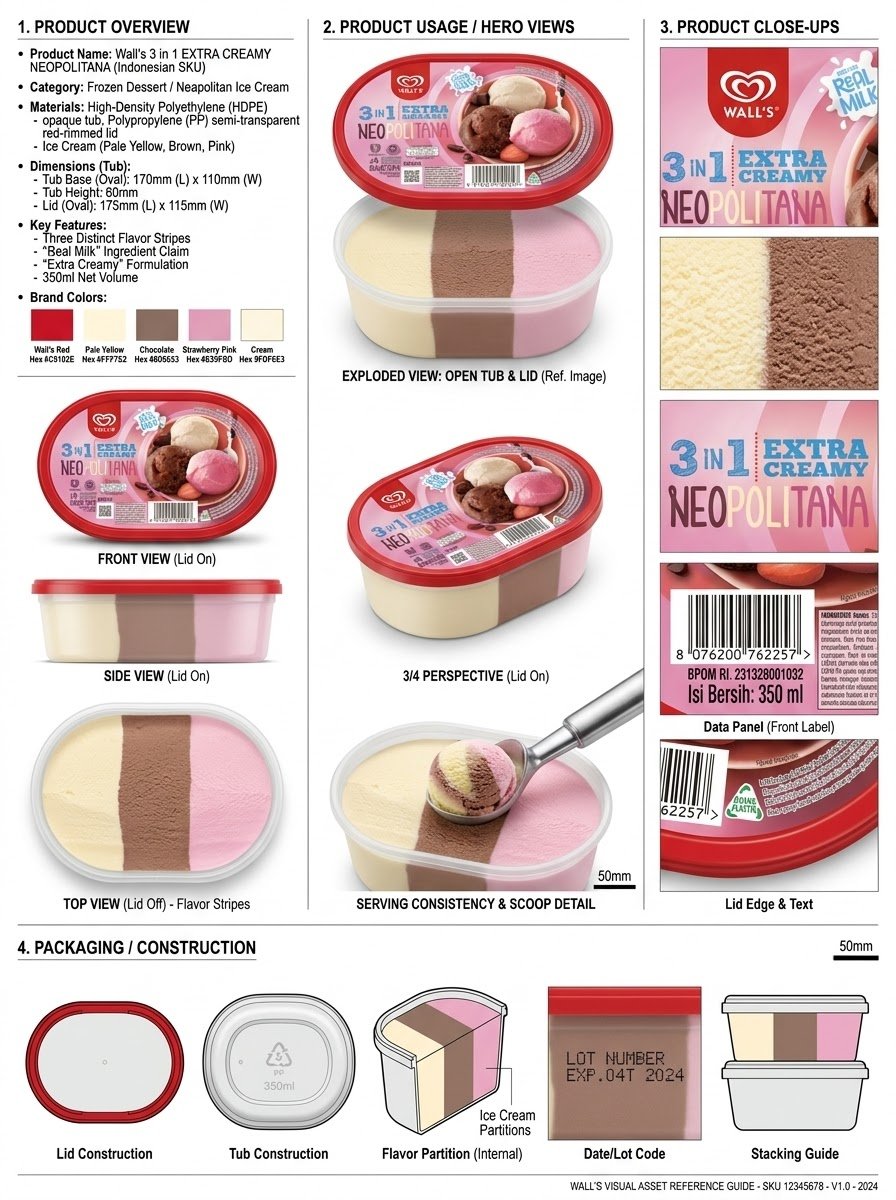
信息图 / 教育视觉图 - 产品参考表工作流
Nano Banana Pro

信息图 / 教育视觉图 - 产品参考表工作流

分析产品并创建一个高分辨率、照片级真实感的专业广告参考表,包含以下四个部分,背景为干净的白色/中性摄影棚背景,采用高端商业产品摄影风格,柔和可控的灯光,逼真的材质,清晰的细节,微妙的阴影以及专业的编辑网格布局。 1. 产品概览;名称、类别、材质、尺寸/大小、主要功能和品牌颜色。 2. 产品用途/主视图 - 正面、背面、侧面、3/4 视角,以及相关的功能/使用视图。 3. 产品特写 - 标志/标签、纹理/材质、关键组件、包装细节以及其他重要的识别特征。 4. 包装 / 结构 - 适用的相关包装或结构视图。 整个参考表必须作为 AI 图像/视频制作的视觉连续性指南。每个产品视图都必须以绝对一致的方式描绘完全相同的物理产品。不要重新设计、添加变体、更改品牌标识或改变比例。使用简洁的排版、清晰的部分标签、细分隔线、平衡的间距和精致的制作设计美学。

@Olatunde AI
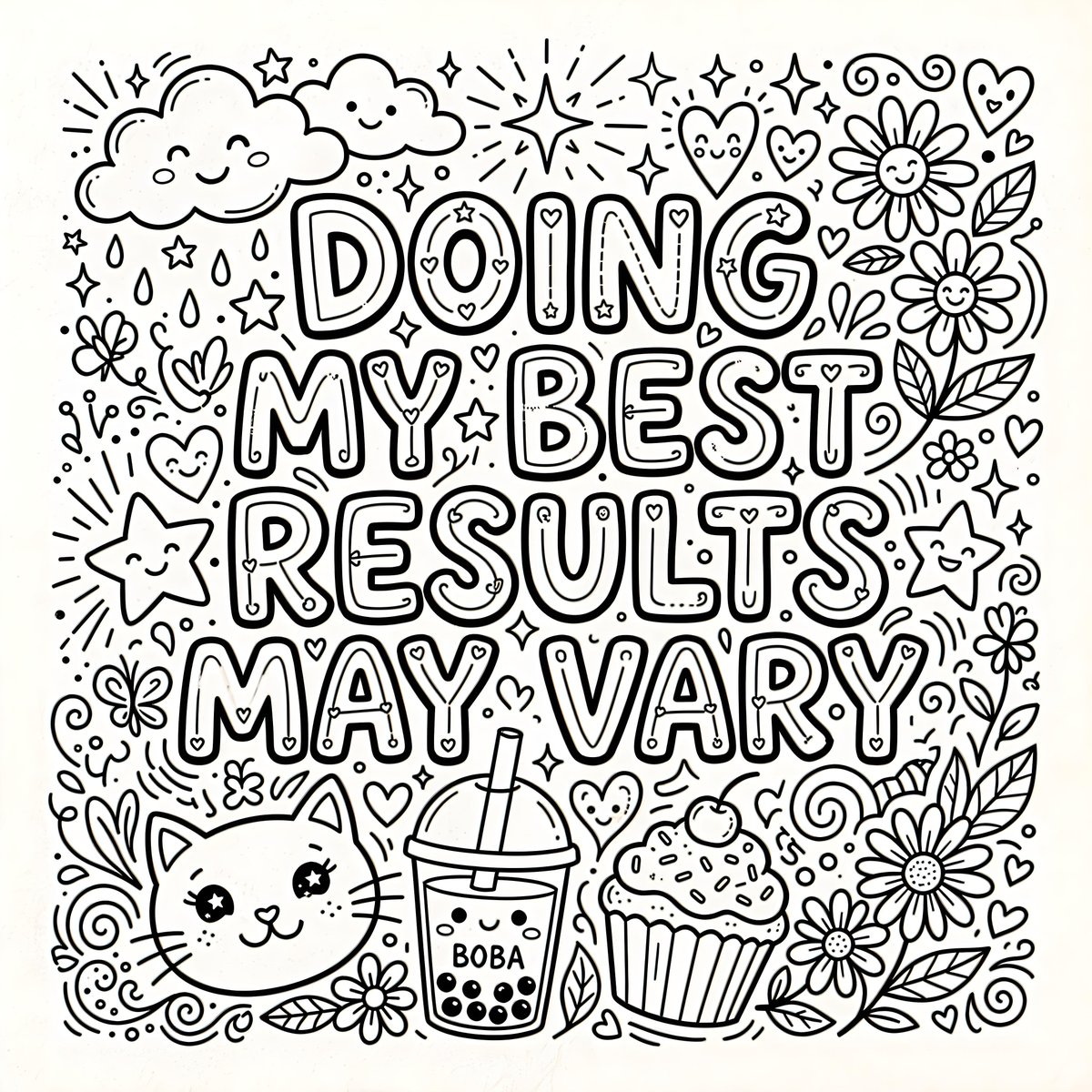
信息图 / 教育视觉图 - 奇趣涂色页插画
Nano Banana Pro

信息图 / 教育视觉图 - 奇趣涂色页插画

一幅黑白线条画,中间以醒目的粗体泡泡字体呈现文本“{argument name="quote" default="DOING MY BEST RESULTS MAY VARY"}”。文本周围环绕着各种可爱且奇趣的元素,包括微笑的星星、猫咪脸、云朵、雏菊、爱心、纸杯蛋糕、波霸奶茶以及闪烁的星芒。整体构图紧凑且充满童趣,专为涂色页设计。

@Heather Green
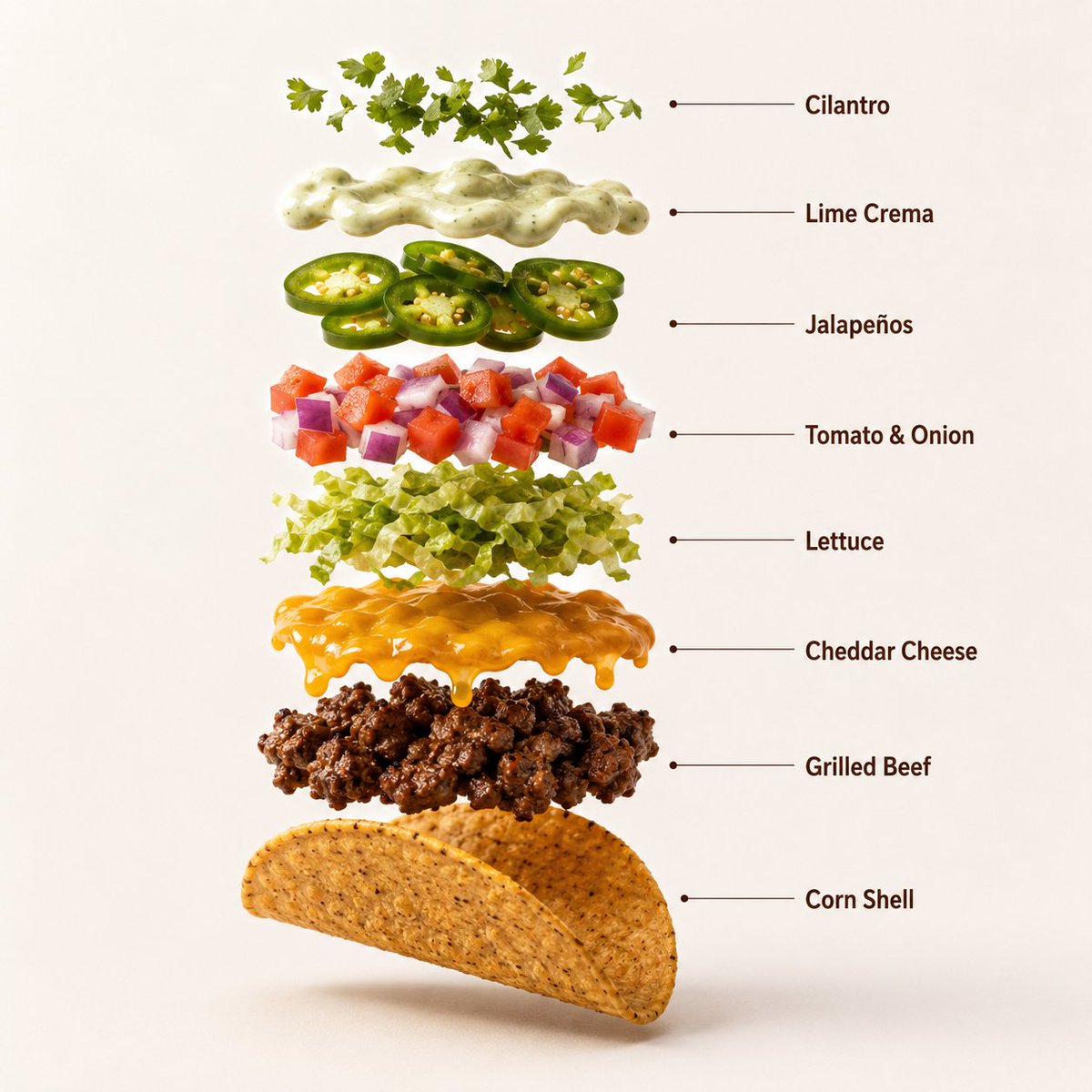
信息图 / 教育视觉图 - 专业牛肉塔可产品摄影
Nano Banana Pro

信息图 / 教育视觉图 - 专业牛肉塔可产品摄影

一张高质量的专业产品摄影照片,展示了三个摆放整齐的优质牛肉塔可,置于深色陶瓷盘中,背景为温暖的赤陶橙色无缝影棚背景。每个塔可均采用酥脆的金黄色玉米饼皮,内馅包含多汁的调味烤牛肉、融化的切达干酪、新鲜的生菜丝、番茄丁、紫洋葱、墨西哥辣椒片和奶油青柠酱。牛肉呈现出逼真的烧烤纹理和细微的焦痕,蔬菜看起来新鲜且充满自然光泽。柔和的电影级影棚灯光在盘底营造出丰富的亮部和柔和的阴影。超清晰对焦,单反微距美食摄影,高端墨西哥快餐广告风格,超写实,简洁的商业构图,8K 分辨率。长宽比:1:1。创作一张超写实的优质牛肉塔可垂直爆炸图信息图。从上到下的结构:新鲜香菜装饰 → 青柠奶油酱 → 墨西哥辣椒片 → 番茄洋葱丁 → 生菜丝 → 融化的切达干酪 → 调味烤牛肉 → 酥脆玉米饼皮。每个元素必须完美居中、间距均匀且垂直对齐。展示逼真的烤牛肉纹理、融化的奶酪、清脆的蔬菜、新鲜香草、奶油酱以及细节丰富的酥脆玉米饼皮。使用温暖的赤陶橙色无缝影棚背景,柔和的商业灯光,每个悬浮元素下方带有细微的真实阴影,超清晰单反微距美食摄影,高端快餐信息图美学,简洁的专业构图,超写实,8K 分辨率。添加简洁的极简主义信息图文字标签,并使用细指示线,标签内容如下:“香菜 (Cilantro)”、“青柠奶油酱 (Lime Crema)”、“墨西哥辣椒 (Jalapeños)”、“番茄洋葱 (Tomato & Onion)”、“生菜 (Lettuce)”、“切达干酪 (Cheddar Cheese)”、“烤牛肉 (Grilled Beef)”、“玉米饼皮 (Corn Shell)”。长宽比:1:1。塔可开始缓慢旋转,同时配料精确而轻柔地分离,保持对齐和比例。动作流畅、诱人且受控,无任何额外特效。

@𝐌
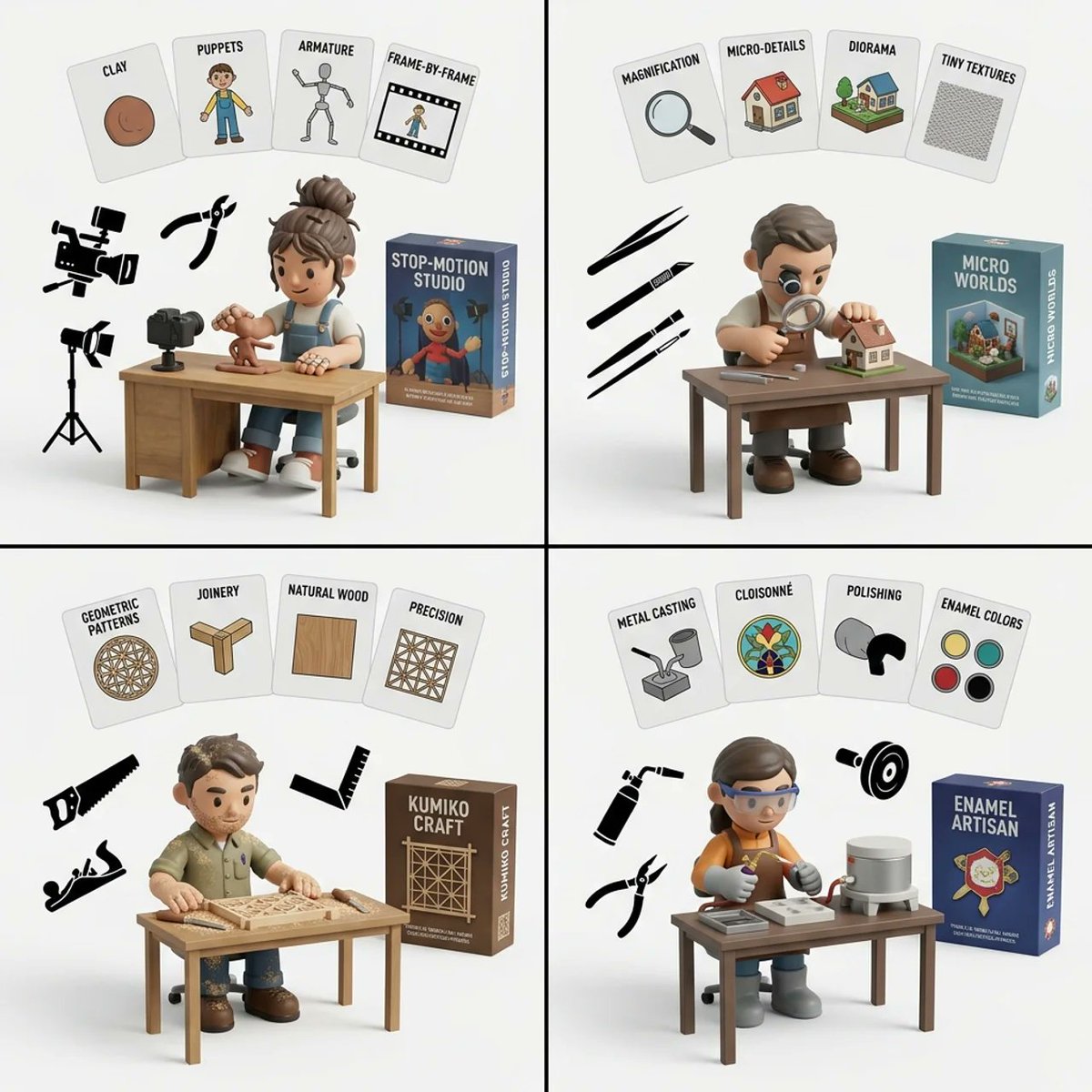
Handmade Art Style Visualizer Grid

Handmade Art Style Visualizer Grid

2x2 grid, do this for 4 hardest type of handmade art style 1. infer the 4 most common artistic motifs of {argument name="art style" default="[art_style]"}. generate them as 2d flat cards floating at the top of the image with text labels. 2. infer the typical fashion, hairstyle, and tattoo coverage of an artist who specializes in {argument name="art style" default="[art_style]"}. 3. generate a 3d vinyl toy character matching this fashion, sitting at a wooden desk drawing. 4. infer the specific tools used to create {argument name="art style" default="[art_style]"}. generate them as flat 2d black silhouettes floating in the air. 5. generate a 3d product box in the background matching the theme. 6. render all on a clean white studio background. execute.

Exploded View Product Diagram Prompt

Exploded View Product Diagram Prompt

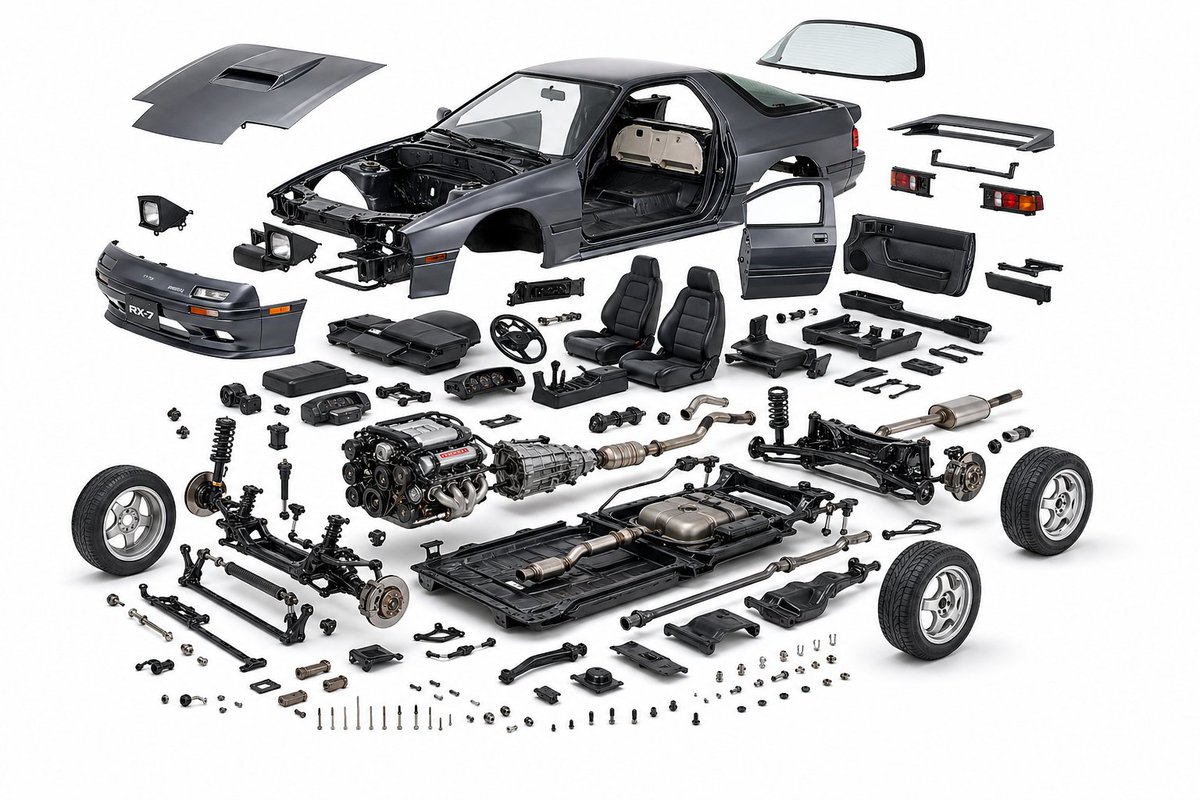
create a product design, {argument name="object" default="mazda rx7 fc3s"}, exploded view diagram, white background, three-dimensional, highly detailed internal components, studio lighting, product photography, best quality

Cities as Kinetic Sculptures Grid

Cities as Kinetic Sculptures Grid

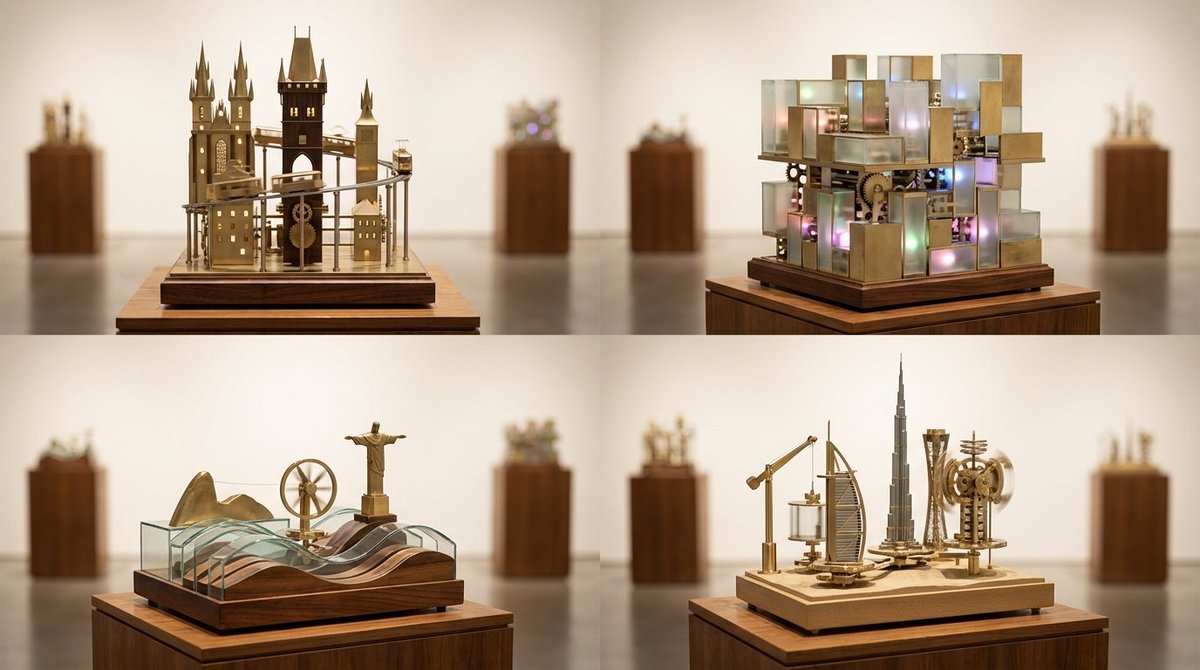
A 2x2 grid of 4 random famous cities turned into looping kinetic sculptures on museum plinths [Top Left: random real European city as a vertical kinetic skyline with moving trams and tiny lights] [Top Right: random real Asian megacity as a multi-layered kinetic light grid with sliding blocks] [Bottom Left: random real coastal city with rolling wave mechanisms and rotating landmarks] [Bottom Right: random real desert or inland city with lifting arms and spinning towers] Photoreal miniature kinetic sculptures made of brass, glass, and polished wood, subtle motion implied by blurred rods and tracks, illuminated display plinths in a gallery setting, soft museum lighting, gentle reflections on the floor, 60mm perspective for elegant compression, shallow depth of field isolating each sculpture, warm white seamless backdrop, crisp focus on intricate mechanics.

Augmented Reality UI Overlays on Food Items

Augmented Reality UI Overlays on Food Items

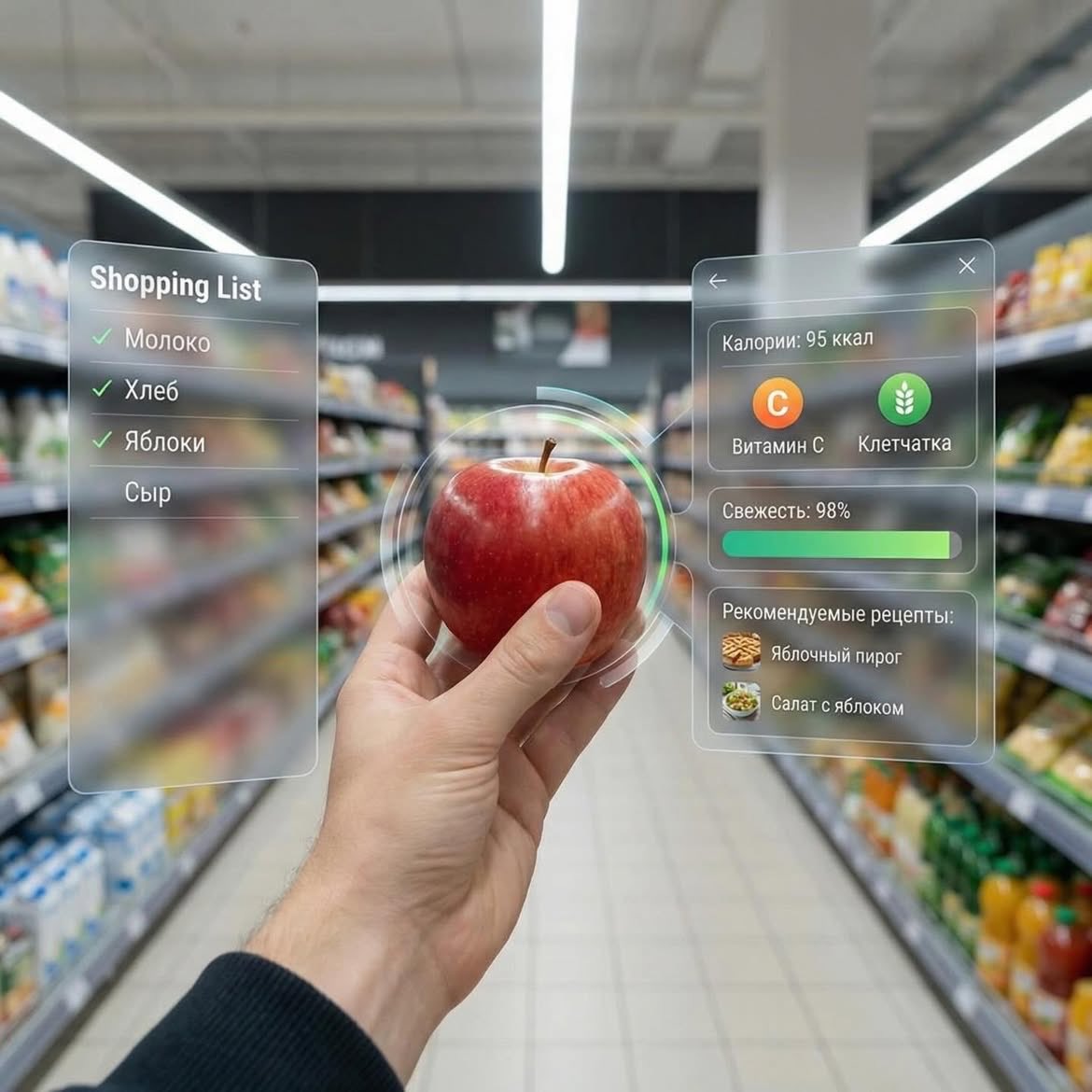
Dessert (AR shopping UI) POV shot inside a modern supermarket aisle, hands holding a small gourmet dessert with cream and berries, futuristic augmented reality (AR) interface overlay showing calories, sugar, fats, freshness score, expiry date, and recipe suggestions, soft depth of field, cinematic lighting, ultra-realistic, 4K, tech-inspired UI, clean glassmorphism design ⸻ 2. Apple (AR nutrition UI) First-person view in a grocery store holding a fresh red apple, augmented reality interface displaying calories, vitamin C, fiber, freshness bar, and recipe ideas, minimal futuristic UI panels floating around the object, bright supermarket lighting, shallow depth of field, hyper-realistic, modern tech aesthetic, 4K ⸻ 3. Orange Soda Bottle (AR data UI) POV shot of hands holding an orange soda bottle in a supermarket aisle, futuristic AR overlay showing calories, sugar content, caffeine level, freshness score, expiry date, and drink recipes, sleek holographic interface, glassmorphism UI, vibrant colors, cinematic lighting, ultra-detailed, photorealistic, 4K

Typographic Sculpture of Historical Inventions

Typographic Sculpture of Historical Inventions

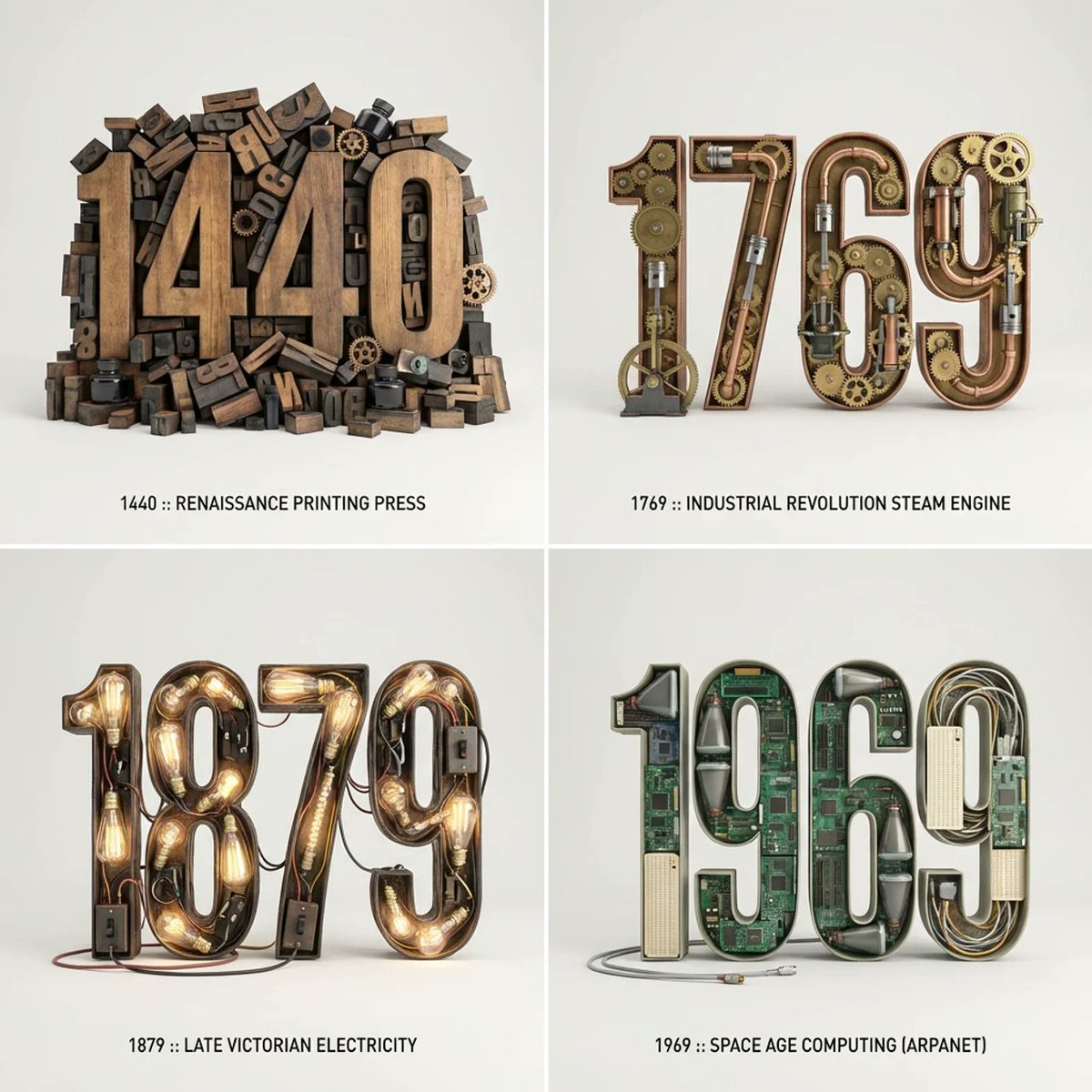
2x2 grid, do this for 4 important years in history and their most important inventions { Anchor: `[Letter/Number] :: [Era/Theme (e.g., 1980s Retro Tech / Victorian Steampunk)]::4` Morphology: `3D Typographic sculpture of [Letter/Number], character shape defined by a dense pile of [Era/Theme] objects, chaotic but legible assemblage, graphic design asset::3` Material Physics: `Textures of [Era/Theme] objects (plastic, rust, wood), occlusion between stacked items, realistic scale of constituent parts forming the glyph::3` Illumination: `Three-point studio lighting, softbox overhead, clean background for isolation::2` Render Stack: `Cinema 4D render, isometric or front-facing, ambient occlusion, 8k, Adobe Substance material suite::1` Negative: `[Illegible, flat font, 2D, handwriting, paper, messy background, floating objects]:: -1`}

3D Radial Explosion Product Visualization Prompt for Nano Banana 2

3D Radial Explosion Product Visualization Prompt for Nano Banana 2

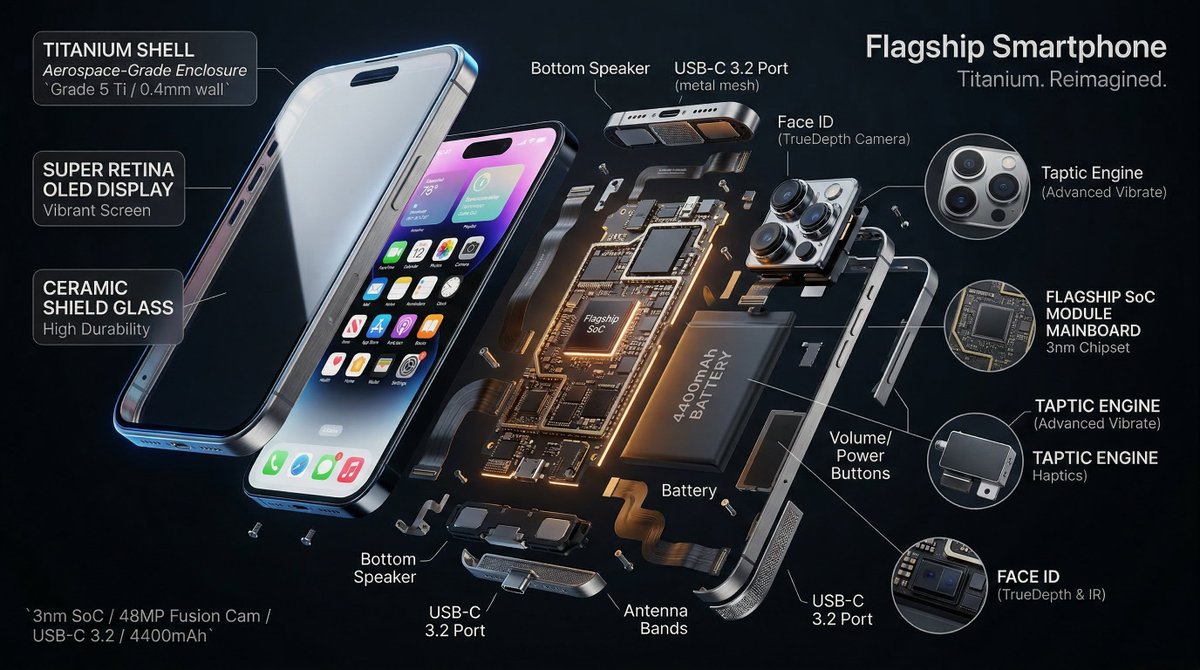
Hyperrealistic 3D radial exploded view of {argument name="product" default="PRODUCT"} {argument name="number of components" default="NUMBER"} components bursting outward from a central axis in every direction, frozen in mid-air. True spatial explosion, not a vertical stack, depth and parallax visible. COMPONENTS (core outward): {argument name="shell material" default="SHELL"} → DISPLAY → FRAME → MAINBOARD → BATTERY → MICRO PARTS shown in 3x floating callout circles MATERIALS: glass refracts and catches specular highlights, aluminium shows brushed grain and machined edges, PCB traces glow faintly amber, rubber gaskets matte with micro-texture, cables with soft bend physics. LABELS: hairline leader to floating box. "[COMPONENT]" uppercase / "[FUNCTION]" italic / "[KEY SPEC]" monospace. Radiate outward, no overlaps. LIGHTING: cool diffused overhead + warm amber underlighting on internals + thin blue rim on outer shell. Displays emit soft UI glow. Circuits self-illuminate. BACKGROUND: {argument name="background color" default="COLOR"}, deep, non-reflective. Midnight black recommended. TITLE: "[PRODUCT NAME]" top right. SUBTITLE: "[TAGLINE]". SPEC BLOCK: "[SPEC 1] / [SPEC 2] / [SPEC 3]" bottom left in monospace. Mood: iFixit teardown meets NASA manual meets WIRED cover. 4K, tack sharp, extraordinary material fidelity.

Atmospheric Product Interface Visual Prompt for SaaS UI

Atmospheric Product Interface Visual Prompt for SaaS UI

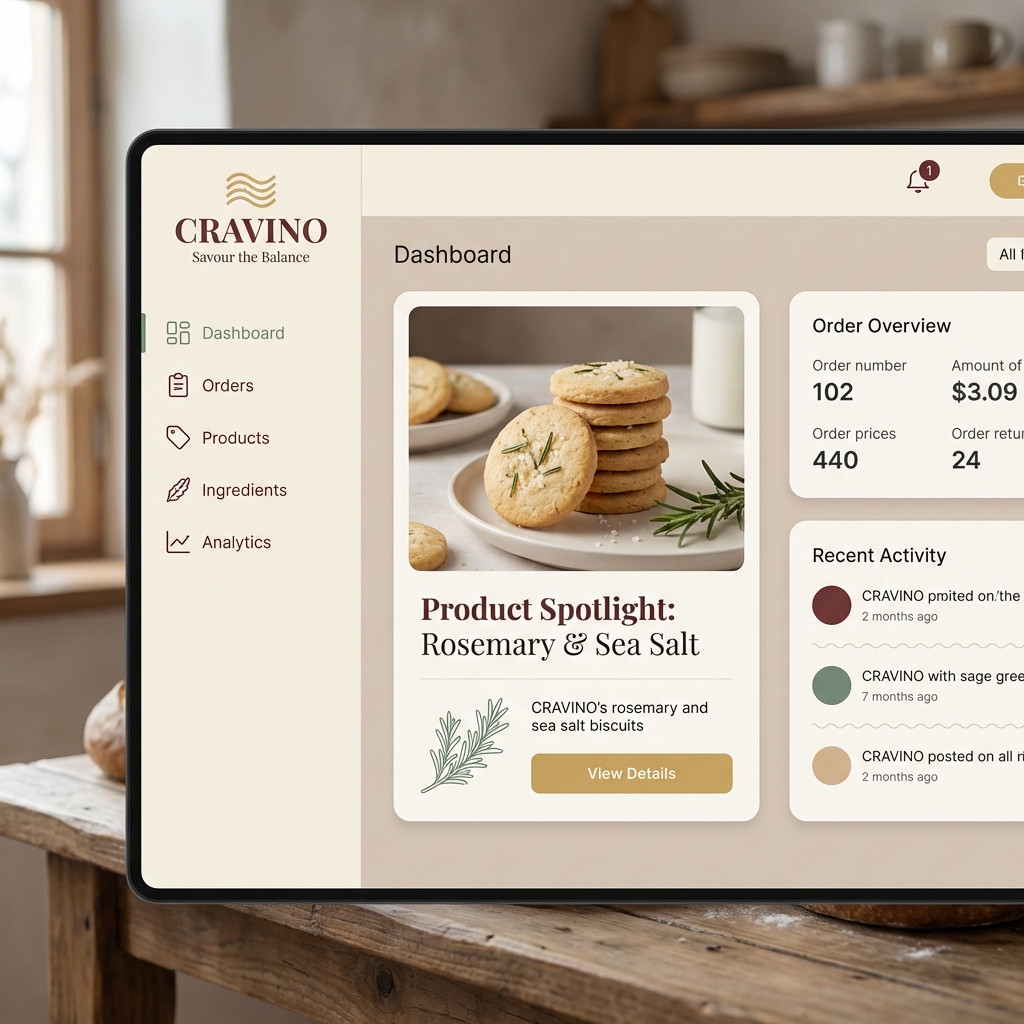
Atmospheric product interface visual for a modern SaaS platform. Clean hierarchy, balanced contrast, soft shadows, neutral color palette, focus on clarity and calm, designed like a best-in-class SaaS experience.

Newspaper Mid-Unfold Diorama Prompt

Newspaper Mid-Unfold Diorama Prompt

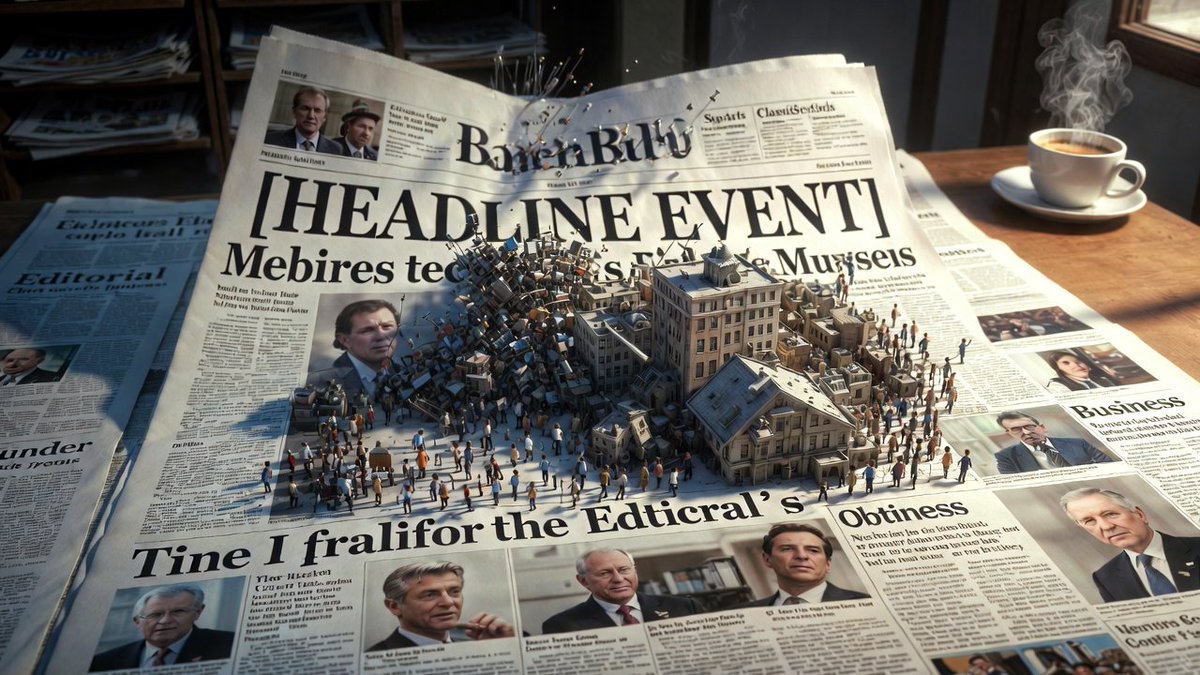
Epic 3D scene: a massive broadsheet newspaper mid-unfold, its headlines erupting into the events they describe. Front page stories become dioramas pushing off the page. {argument name="headline event" default="[HEADLINE EVENT]"} manifests in miniature chaos. Photographs animate and expand into three dimensions. Column text rises as city blocks of information. Editorial section becomes a battlefield of arguing figures. Classifieds transform into tiny desperate lives. Different sections occupy different worlds: sports as stadium, business as trading floor, obituaries as memorial garden. Yesterday's news composites beneath as fading ghost layer. Ink smells almost visible as atmosphere. Newsstand visible at the edge, morning light, coffee steam, 8K, photorealistic.

Expedition Planning Board Collage Prompt

Expedition Planning Board Collage Prompt

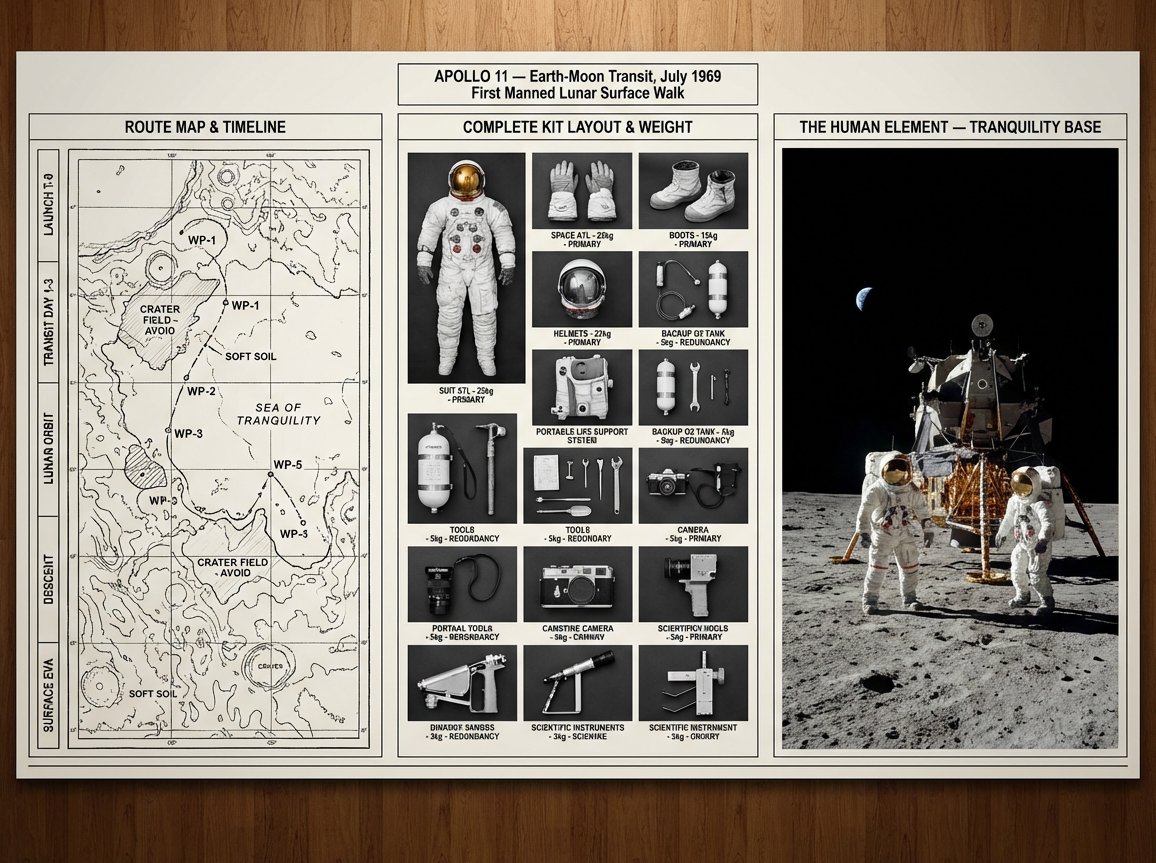
An expedition leader's planning board for {argument name="journey mission" default="[JOURNEY / MISSION]"} — {argument name="destination era" default="[DESTINATION / ERA]"}. Left section: route map with topographical detail, waypoints marked, danger zones annotated, and timeline running along the margin. Center section: complete kit layout, every piece of equipment photographed from above in organized rows, weight and function noted, redundancies highlighted, nothing extraneous. Right section: the expedition in progress or the destination achieved, figures in landscape, scale established, the human element against the immense. Visual style transitions from cartographic precision through utilitarian inventory to epic environmental photography. Title block reading "{argument name="expedition name" default="[EXPEDITION NAME]"} — [ROUTE], [DATE], [OBJECTIVE]".

Simplified Comparative Infographic Grid Generator Prompt (Legs and Stockings)

Simplified Comparative Infographic Grid Generator Prompt (Legs and Stockings)

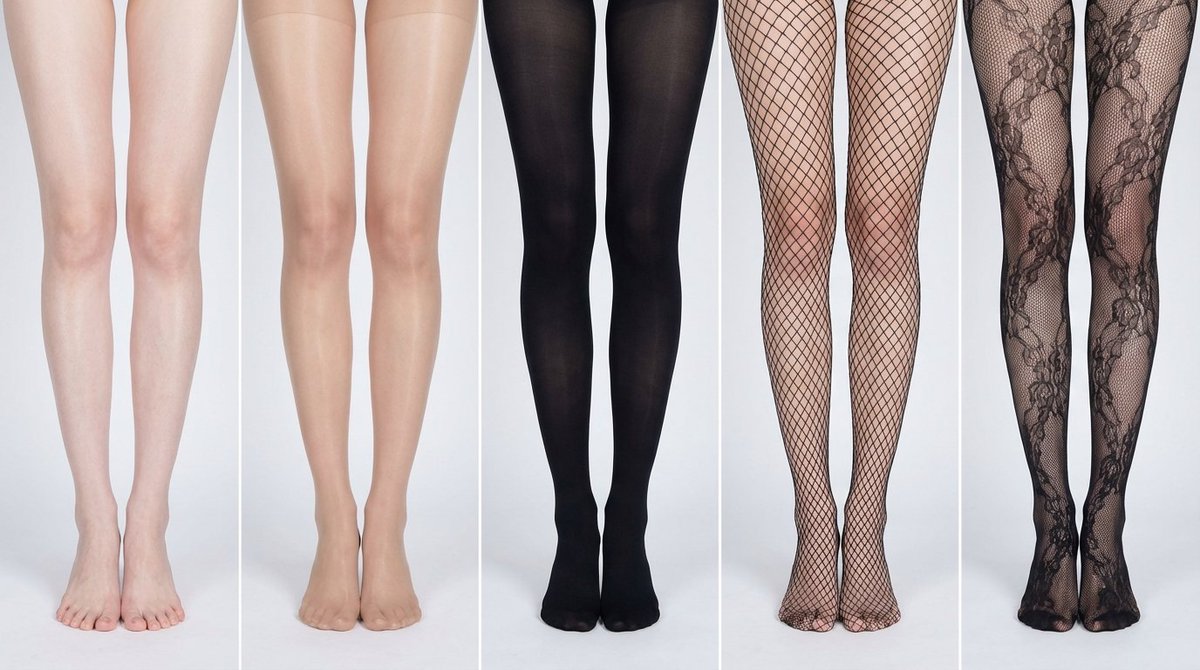
# Role: Comparison Infographic Generator (Design-Centric with Toggles) # === USER INPUT SETTINGS (FILL THESE IN) === # 1. Grid Size (e.g., "2x2 (4 panels)", "3x3 (9 panels)"): {argument name="grid size" default="1x5"} # 2. Base Subject Description (Identical base scene for all panels): [{argument name="subject description" default="Cold white, slender, fair Asian female legs, skin delicate and smooth, without blemishes, almost invisible pores and hair follicles. Skin is not dry, slightly moist"}] # 3. Variations Theme (What is being compared?): {argument name="variation theme" default="Comparison of bare legs with different stocking materials and styles"} The feet need to be fully displayed in the frame # 4. Show Text Overlay at Bottom (Yes/No): NO # =========================================== # Task Description: Generate a multi-panel infographic grid chart for a comparative visual study based on the User Input Settings above. The goal is to showcase different textural or stylistic variations (defined in the data list below) applied to the identical Base Subject defined above. # Global Constraints & Style: 1. **Layout:** A **[Insert setting from "1. Grid Size" here]** infographic grid chart. 2. **Consistency is Key:** The Base Subject, camera angle, composition, and lighting must remain absolutely identical across ALL panels to emphasize only the specific variations defined in the data list. 3. **Photography Style:** Clean, controlled studio photography with neutral, even lighting designed to highlight texture differences. # Text Overlay Display Logic (CONDITIONAL): (AI Instructions: First, check the value of User Input Setting "# 4. Show Text Overlay at Bottom". You MUST execute ONLY ONE of the following logic blocks based on that value.) ##### ➤ LOGIC PATH A: IF Setting #4 is "Yes" (Show Overlay) If the user selected "Yes", EVERY panel must feature a precisely designed text overlay at the bottom following these strict rules: * **Background:** A clean, sharply defined solid rectangular color block (e.g., charcoal grey or black) spanning the entire width of the panel's bottom section. * **Typography:** Inside this block, the text must be rendered in an **elegant, ultra-thin, minimalist sans-serif font**. * **Layout:** The text "[Number]. [Short Title] (Prompt: [Key English Prompt Snippet])" must be perfectly centered within the color block. * **Aesthetic:** The overall effect should be that of professional, minimalist graphic design, with crisp lines and perfect alignment. ##### ➤ LOGIC PATH B: IF Setting #4 is "No" (Hide Overlay) If the user selected "No", apply this CRITICAL rule: * **CRITICAL:** DO NOT add any text overlay, numbers, titles, background color blocks, or prompt snippets to the images. * **Result:** The bottom of every panel must be clean image data only, showing the subject fully without obstruction. # Base Subject Definition: The base scene for every panel is: **[Insert description from "2. Base Subject Description" here]**. The variations below will modify the surface or appearance of this base subject. # Variations Data List (Apply sequentially to the grid): (AI instructions: Iterate through this list based on the required grid size. For each panel, apply the user-defined 'Visual Change' to the base

Scientific Theory Visualization Generator

Scientific Theory Visualization Generator

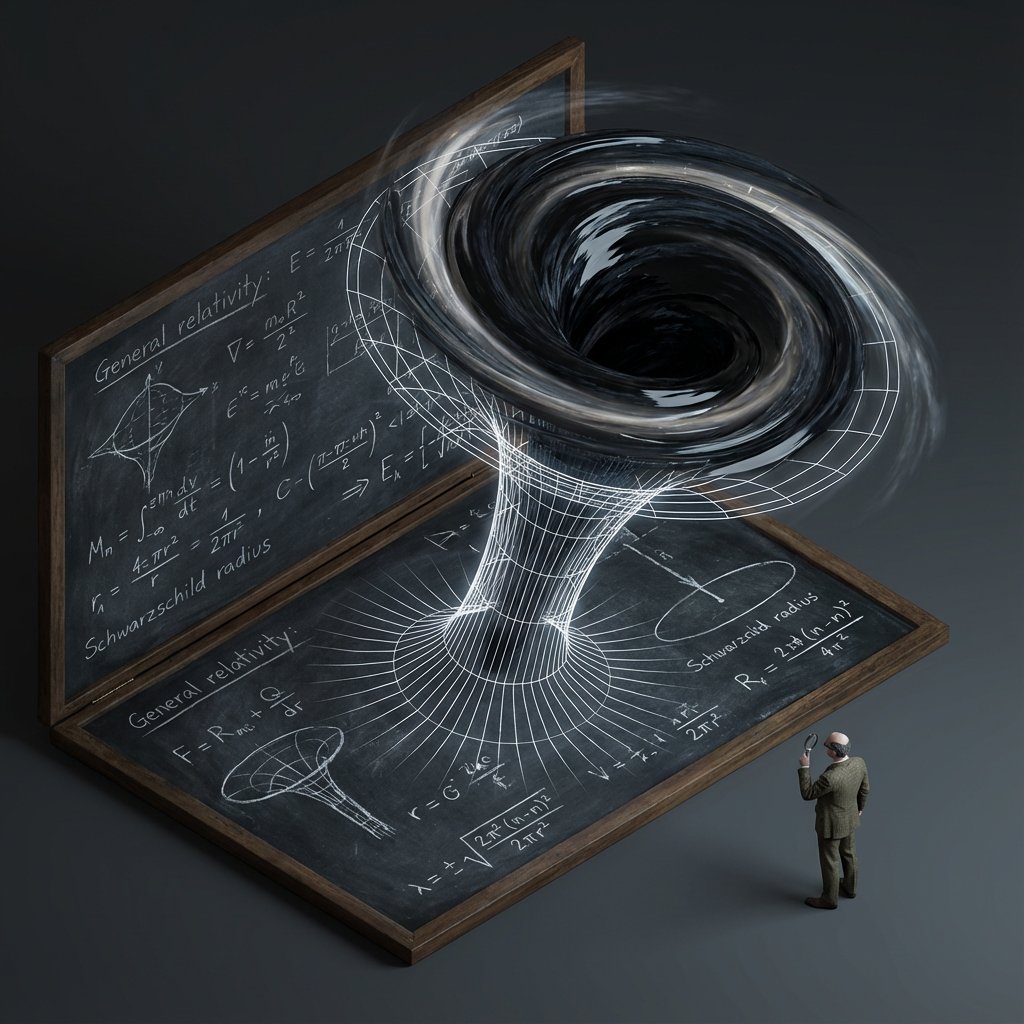
<instructions> do this for {argument name="scientific concept" default="black holes"} Input Variable: {argument name="theorem or formula" default="[Theorem / Formula]"} Phase 1: Schematic Decomposition Analyze the Notation: Identify the primary visual language of the scientist (Chalk on blackboard? Ink on parchment? Pencil on graph paper?). Identify the "Structure": If this theory were a building, what would it look like? Logic: Chaos Theory -> Fractal Spire. Thermodynamics -> Engine Block. Phase 2: The Dimensional Transition The Base: A flat surface covered in the [Notation Medium] (e.g., a slate blackboard covered in chalk equations). The Extrusion: The chalk lines physically lift off the surface. They begin as white wireframes, then gain opacity, then gain texture. The Climax: At the top of the image, the wireframes have fully solidified into a photorealistic, impossible structure representing the theory. The Observer: A tiny, scale-model figure of the scientist stands on the flat "2D" section, looking up in awe at the massive "3D" structure they have summoned. Output: High-Angle Isometric, "Architectural Visualization" style, stark contrast between sketchy lines and solid mass. </instructions>

Infographic Prompt for Sweet and Sour Pork Recipe

Infographic Prompt for Sweet and Sour Pork Recipe

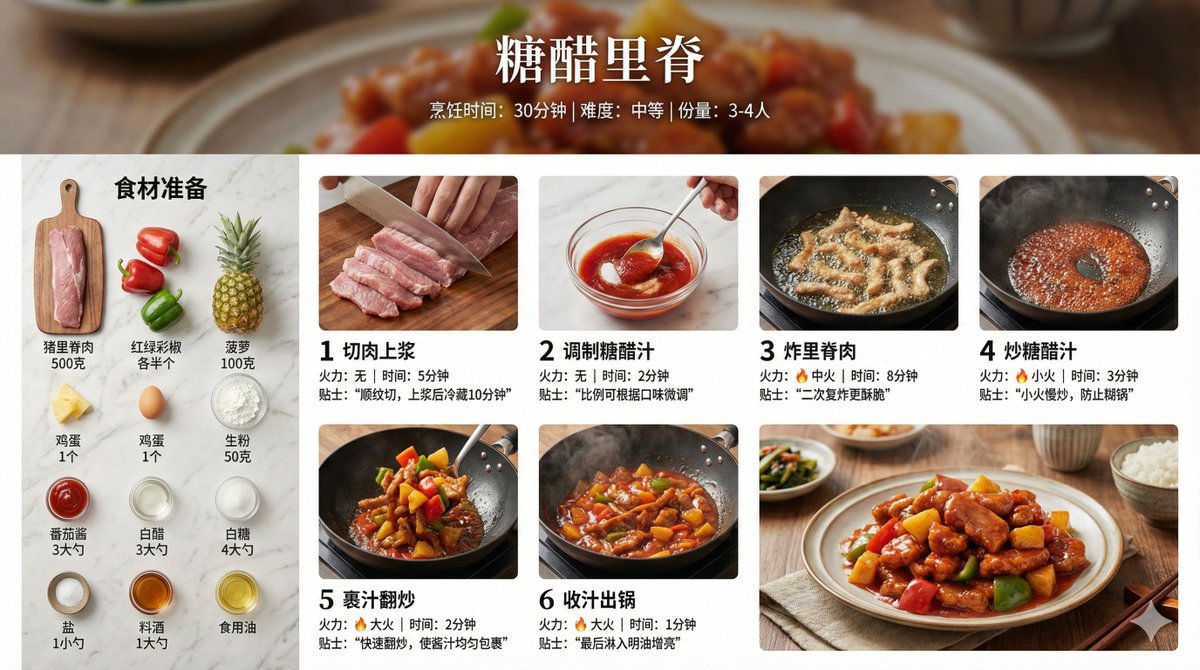
Create a home-style cooking step infographic for 【{argument name="dish name" default="Sweet and Sour Pork"}】. 【Overall Style】 - Style: 8K ultra-HD realistic photography style, professional quality suitable for a food magazine - Image Quality: 8K resolution, sharp details, professional food photography lighting - Background: Real kitchen scene/marble countertop/wooden cutting board, shallow depth of field blur - Color Palette: Natural and realistic colors, true colors of ingredients, warm lighting - Layout: Horizontal 16:9 【Top Title Area】 - Main dish title (elegant Chinese font) - Subtitle: Cooking time / Difficulty level / Serving size - Background can use a blurred close-up of the finished dish 【Left or Top - Ingredient List Area】 - Title: "Ingredient Preparation" - All ingredients arranged realistically, neatly organized from a top-down view (flat lay) - Each ingredient labeled with name and quantity - Style: Instagram-style ingredient flat lay photography 【Main Body - Cooking Steps Area】 - 6-8 steps, arranged in a grid or timeline - Each step includes:   * Step number (simple numeric identifier)   * Close-up photo of the actual cooking process:     - Cutting meat: Knife skills details, meat texture     - Blanching: Boiling water, foam     - Caramelizing sugar: Caramel color, oily sheen     - Stir-frying: Dynamic movement in the wok, flame     - Stewing/Simmering: Sauce bubbling, steam rising     - Reducing sauce: Thick sauce, glossy meat pieces   * Brief descriptive text (1-2 sentences)   * Heat/Time notation 【Bottom - Finished Dish Display Area】 - 8K high-definition photo of the finished dish - Professional plating, exquisite tableware - Shot at a 45-degree angle or top-down view - Visible food texture: Gloss of the sauce, fibers of the meat, rising steam - Background: Dining table setting, chopsticks, small side dishes for garnish 【Photography Specifications】 - Lighting: Side-back light/natural window light, creating appetite appeal - Depth of Field: Subject sharp, background naturally blurred - Texture: Visible ingredient texture, oil sheen, reflection of the sauce - Steam: Real steam visible in hot dish steps - Color Temperature: Warm tone (5500-6000K), enhancing appetite 【Auxiliary Elements】 - Tips notation: Key techniques (e.g., "Blanch in cold water to remove odor," "Simmer slowly for 40 minutes") - Heat icon: 🔥 notation for heat level in each step - Timer notation: Duration for key steps - All ingredient quantities, step details, time, and heat should be automatically generated accurately based on the dish

Bento Grid Infographic Prompt for Food Science

Bento Grid Infographic Prompt for Food Science

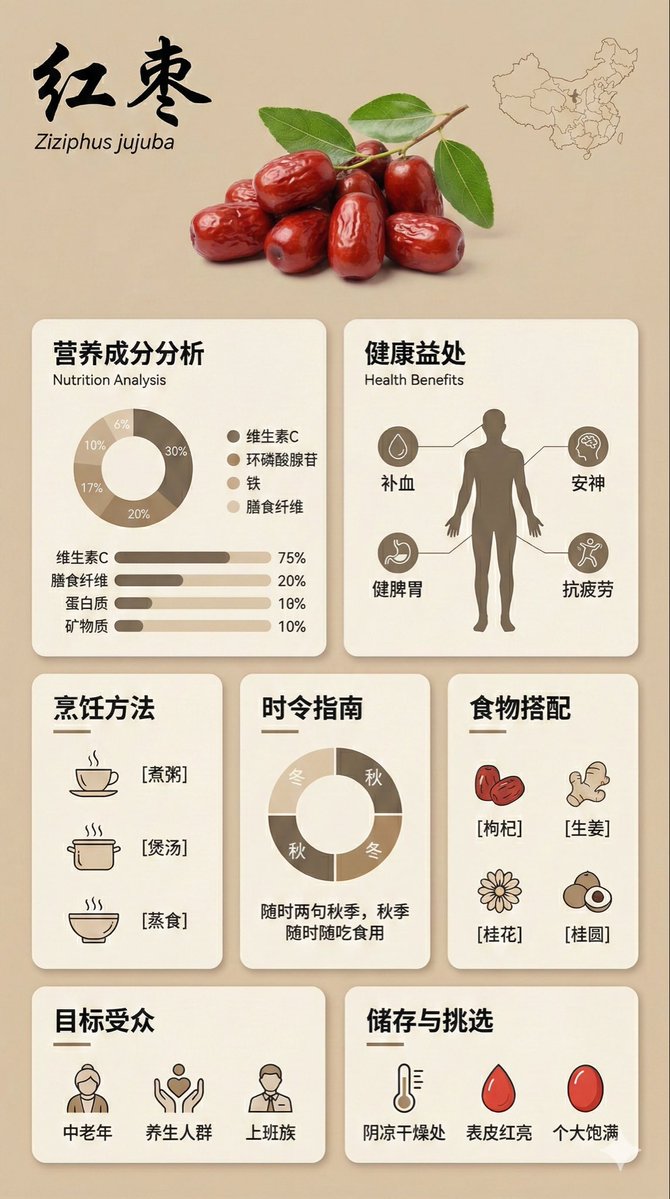
{ "image_analysis": { "subject": "Infographic about {argument name="ingredient name" default="Goji Berry"}, 9:16", "style": "Modular Bento Grid Design / Minimalist UI Design", "tone": "Professional, warm, high-end, educational", "primary_colors": ["Beige", "Cream", "Dark Brown", "Warm Earth Tones"] }, "prompt_elements": { "subject_description": "A high-quality educational infographic poster about {argument name="ingredient name" default="Goji Berry"}.", "layout": "Bento box style modular grid layout, clean UI/UX interface design, divided into clear rectangular cards.", "visual_details": [ "Top header with a striking, elegant Chinese calligraphy title 'Ingredient Chinese Name' and its scientific name", "Center top features a hyper-realistic photographic image of [visual description of fresh ingredient]", "A small outline map of [origin/country] in the corner", "Section 1: Nutritional analysis with donut charts and bar charts, percentages indicating proportions", "Section 2: Human silhouette diagram showing health benefits with connecting lines", "Section 3: Cooking method matrix with minimalist line icons ([Cooking Method 1], [Cooking Method 2], [Cooking Method 3])", "Section 4: Seasonal consumption guide with circular charts", "Section 5: Food pairing grid with simple icons ([Pairing 1], [Pairing 2], [Pairing 3])", "Section 6: Target audience profile icon", "Section 7: Storage and selection guide with temperature and weather icons" ], "art_style": "Minimalist graphic design, soft vector illustrations combined with product photography, flat design icons, clean typography.", "lighting": "Soft diffused studio lighting, shadowless and flat lay aesthetic.", "color_palette": "Monochromatic warm beige background, off-white cards, dark brown and charcoal grey text, soft accents." "negative_prompt": "Cluttered, neon colors, messy layout, low resolution, blurry, distorted text, 3D rendering, dark background, chaos, oversaturated, watermark" }

3D Isometric Atlas Scene in Firefly Style

3D Isometric Atlas Scene in Firefly Style

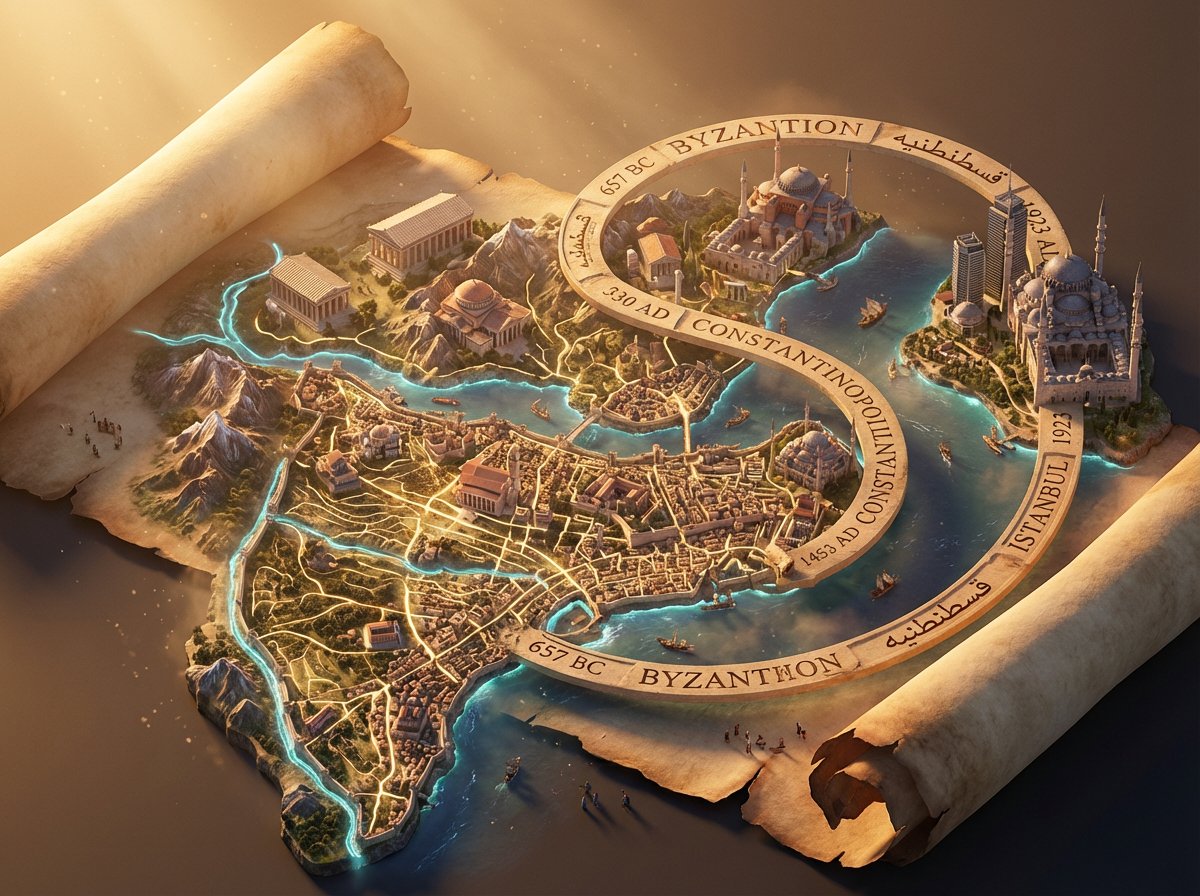
Epic 3D isometric atlas scene: a massive ancient map of {argument name="subject" default="[SUBJECT]"} erupts from an unfurled parchment scroll, filling nearly the entire frame. Ink lines ignite into living terrain: mountain ranges push upward, cities rise in vertical layers, rivers glow and flow, borders burn softly in gold. Multiple civilizations {argument name="civilization layers" default="[CIVILIZATION LAYERS]"} coexist in stacked time, their architectures phasing through one another as if time is folding. A carved timeline spirals across the map with engraved dates. All text in {argument name="language" default="[LANGUAGE]"}. Extreme scale contrast, dense micro-detail everywhere, dramatic golden-hour light, volumetric dust, cinematic depth, 8K, UE5.

Tarot Celtic Cross Spread Reading Generation Prompt

Tarot Celtic Cross Spread Reading Generation Prompt

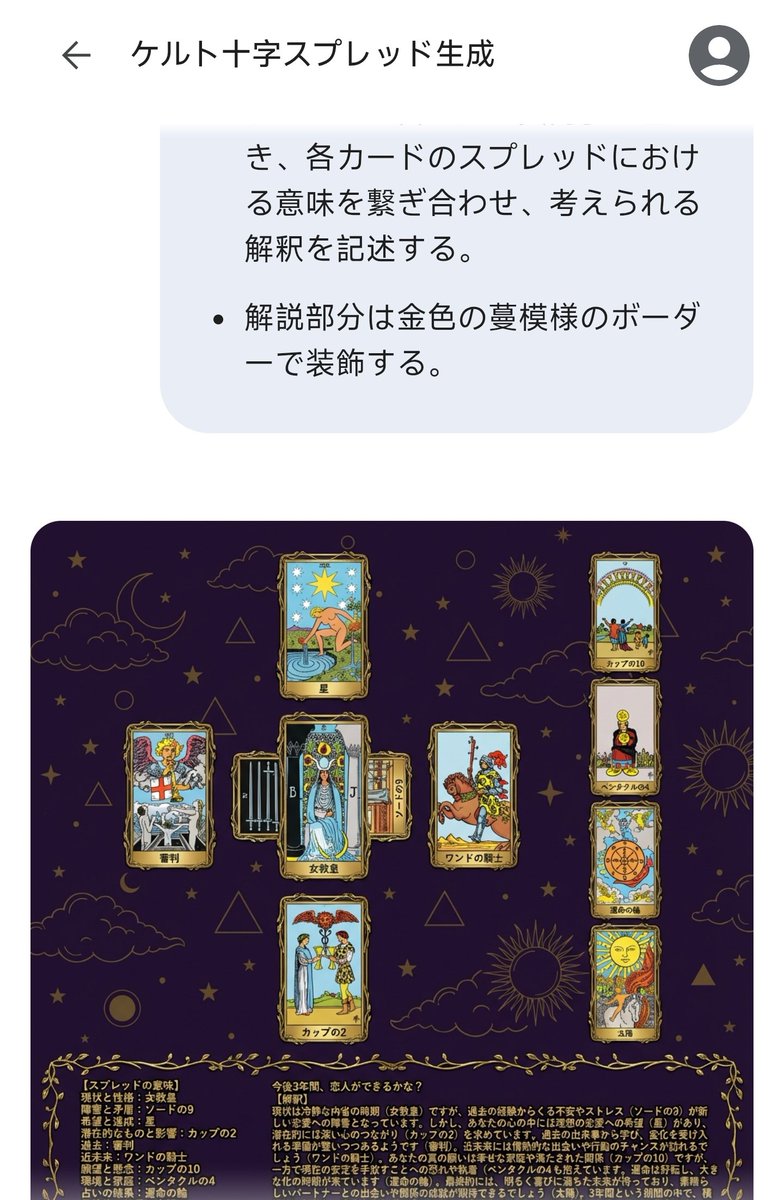
# Generate Results for the Celtic Cross Spread ## Fortune-Telling Parameters - Card indicating the essence of the problem: {argument name="card essence of problem" default="(Fill in 1 card from 78 cards)"} - Question to be asked: {argument name="question to ask" default="(Describe in one sentence)"} ## Image Requirements ### Canvas Settings - 2048*2048px 2K image - Cards and text elements must be at least 20px away from the canvas edges - The card layer should be placed horizontally centered and in the upper 2/3 vertically - The text layer (explanation section) should be placed in the lower 1/3 vertically ### Background Layer - Dark purple background with dark gold stars, clouds, moon, sun, and lines of circles and triangles added to create a mystical atmosphere ### Card Layer - Use all 78 standard Tarot cards. Breakdown: 22 Major Arcana (from "The Fool" to "The World") and 56 Minor Arcana (4 suits: Wands, Cups, Swords, Pentacles). - Each Minor Arcana suit includes number cards 1 through 10 and 4 Court cards. - The edges of the cards are framed with golden metallic vines, and the inside depicts the corresponding image and the name in Japanese. The size of each card is unified and arranged so as not to be cramped. To ensure the text and images of the overlapped cards are visible, the short side (bottom and top edges) of the card should be 1/2 the length of the long side. - Each extracted card must appear only once. If duplication occurs during random extraction, redraw a different card. - Exclude the card specified in "Fortune-Telling Parameters - Card indicating the essence of the problem," and extract the spread from the remaining cards. - Extract 1 card randomly, placed vertically in the center. - Extract 1 card randomly, placed horizontally in the center (with the top of the card facing left), overlapping the vertical center card to form a cross. - Extract 1 card randomly for each position (Up, Down, Left, Right) surrounding the central cross. - Extract 4 cards randomly in a vertical column on the right side. ### Meaning of the Spread - Center, vertical: Current situation and personality - Center, horizontal: Obstacles and contradictions - Up: Hopes and achievements - Down: Potential and influence - Left: Past - Right: Near future - Right column, 1st card: Wishes and concerns - Right column, 2nd card: Environment and family - Right column, 3rd card: Result of the reading - Right column, 4th card: Final outcome ### Text Layer - Use Mincho font, dark gold color, with a 2px black border (#000). - Card Name: Display the name in Japanese at the bottom center of each generated card image. For horizontally placed cards, the name should be displayed at the bottom of the card itself (not the bottom relative to the horizontal placement). - Explanation Section: Include the following content in the explanation section. - On the left side of the explanation section, list all extracted cards in the format: "[Meaning of the Spread] Card Name". - On the right side of the explanation section, describe the possible interpretation by connecting the meaning of each card in the spread, based on the "Fortune-Telling Parameters - Question to be asked". - Decorate the explanation section with a golden vine pattern border.

Kickstarter Campaign Generator Prompt

Kickstarter Campaign Generator Prompt

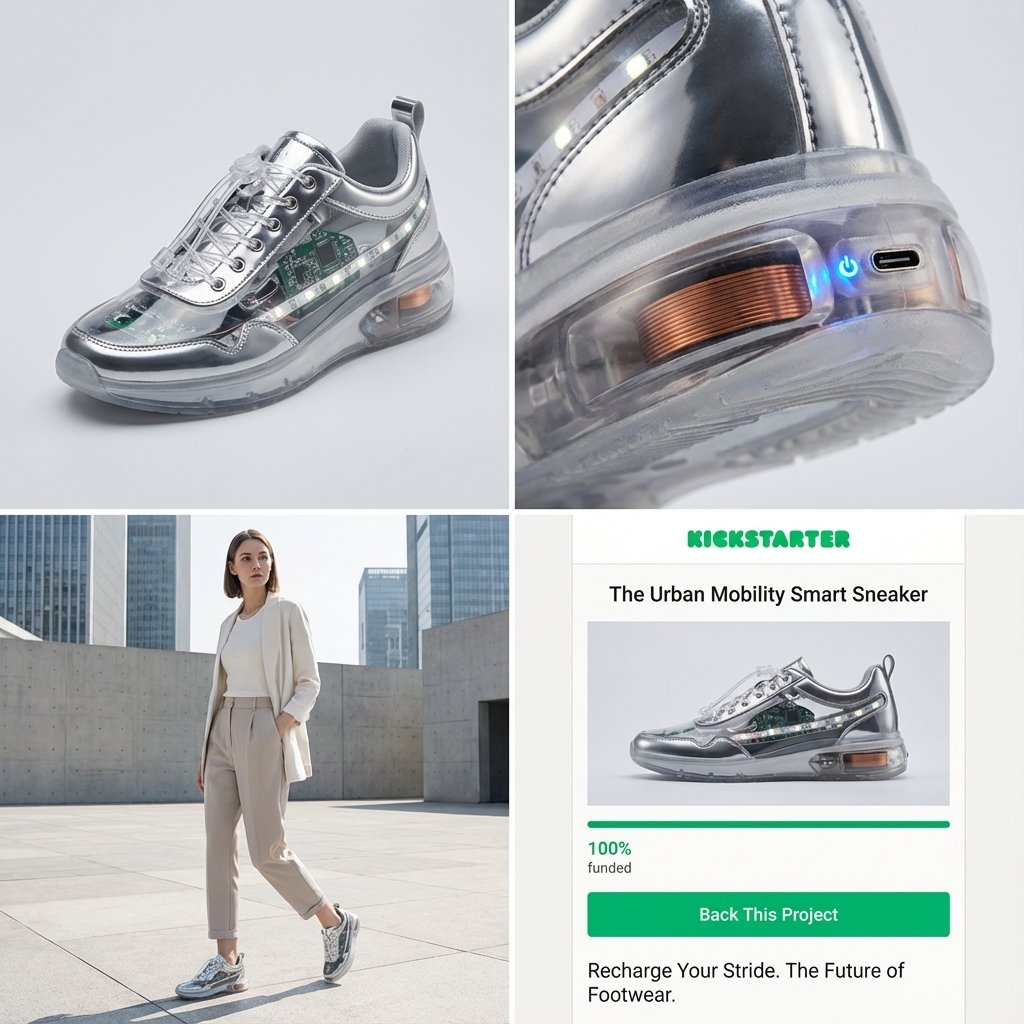
Act as a Senior Product Designer and Crowdfunding Campaign Manager. 1. ANALYZE INPUT Look at the attached image. Determine the material properties (Soft vs. Hard), the primary colors, and the texture. 2. AUTO-SELECT SMART WEARABLE Use this logic to choose the product category. The goal is Clean Modern Tech, not Cyberpunk. IF the input is Soft or Fabric-like ({argument name="soft input examples" default="Ramen, Towel, Moss"}) GENERATE: The All-Climate Smart Jacket. Features: Self-regulating temperature control, hydrophobic coating based on the input texture, and hidden magnetic pockets. IF the input is Rigid, Boxy, or Container-like ({argument name="rigid input examples" default="Toaster, Book, Suitcase"}) GENERATE: The Ultimate Commuter Backpack. Features: Integrated power bank with solar coating, anti-theft biometric zipper locks, and organized modular compartments. IF the input is Mechanical or Footwear-shaped ({argument name="mechanical input examples" default="Stapler, Car, Tool"}) GENERATE: The Urban Mobility Smart Sneaker. Features: Energy-returning sole technology, step-tracking sensors embedded in the heel, and auto-tensioning laces. 3. EXECUTE VISUALIZATION (2x2 GRID) Generate a single image split into a precise 2x2 grid layout. Top Left Panel (Hero Shot): A clean, studio-lit 3/4 angle view of the product on a white or light grey background. It must look refined and manufacturable, using the texture of the input image as a premium material. Top Right Panel (Detail Shot): A zoomed-in macro shot focusing on a specific high-tech feature (e.g., a USB-C port, a magnetic buckle, or a waterproof seam) that shows off the input texture quality. Bottom Left Panel (Lifestyle Shot): A photorealistic shot of a fashionable model wearing the item in a clean, modern city setting (daytime). They look comfortable and stylish. Bottom Right Panel (Campaign UI): A mockup of a Kickstarter campaign page. It should show the product title, a green progress bar at 100% funded, and a bright green button that says Back This Project. Overall Style: High-key lighting, soft shadows, 8k resolution, commercial product photography, minimalist design aesthetic.

Detailed Japanese Graphic Recording Summary

Detailed Japanese Graphic Recording Summary

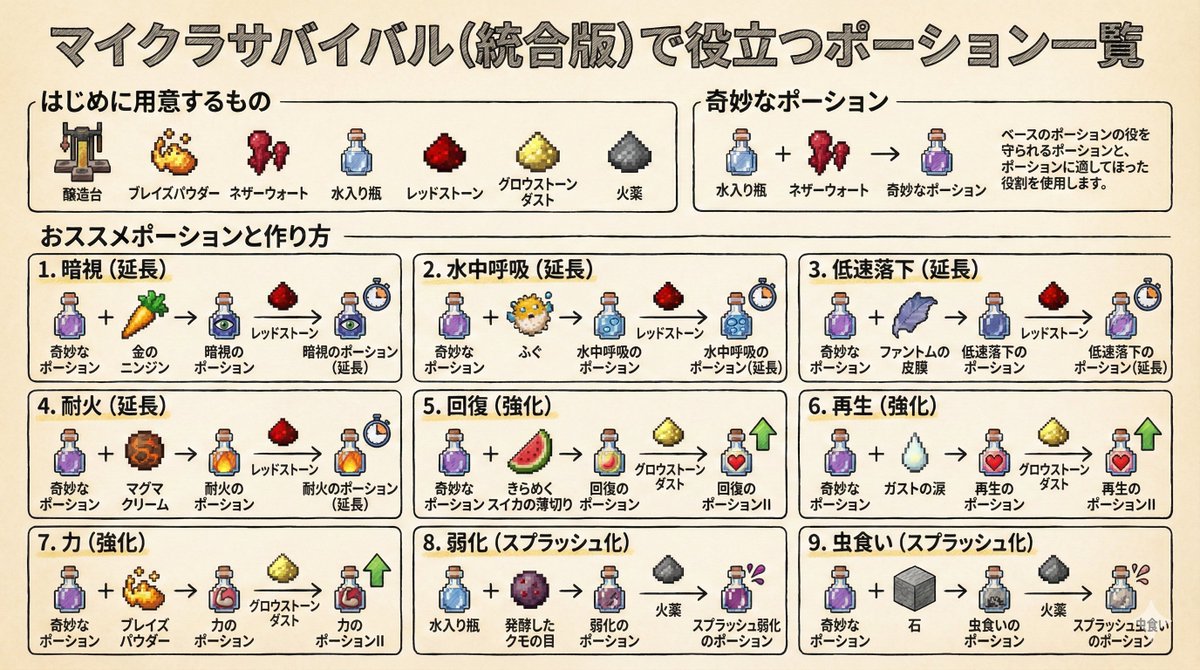
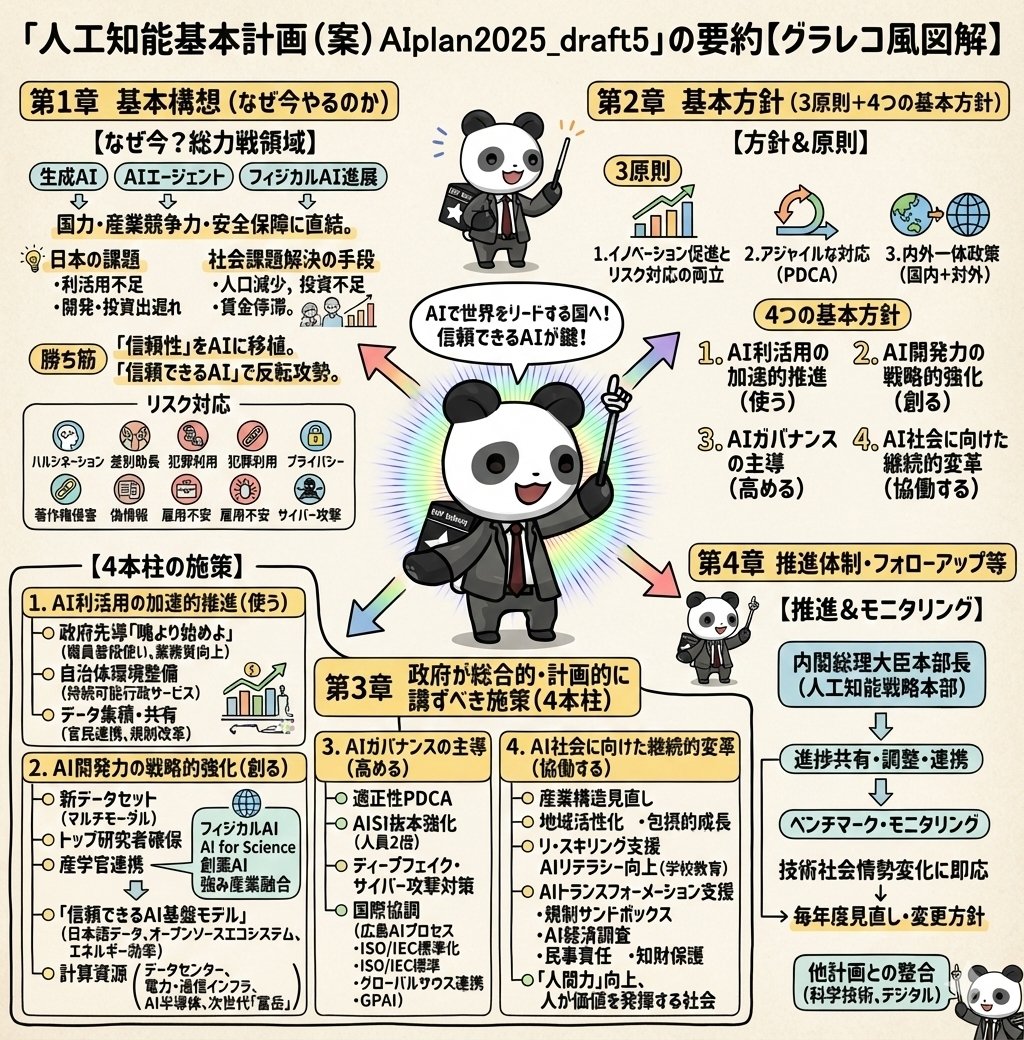
Illustrate this content in detail in Japanese. Make it in a graphic recording style. Make it truly ultra-detailed, even if the text is small. Use the attached image for the character.

Culinary Periodic Table Display Board Generator

Culinary Periodic Table Display Board Generator

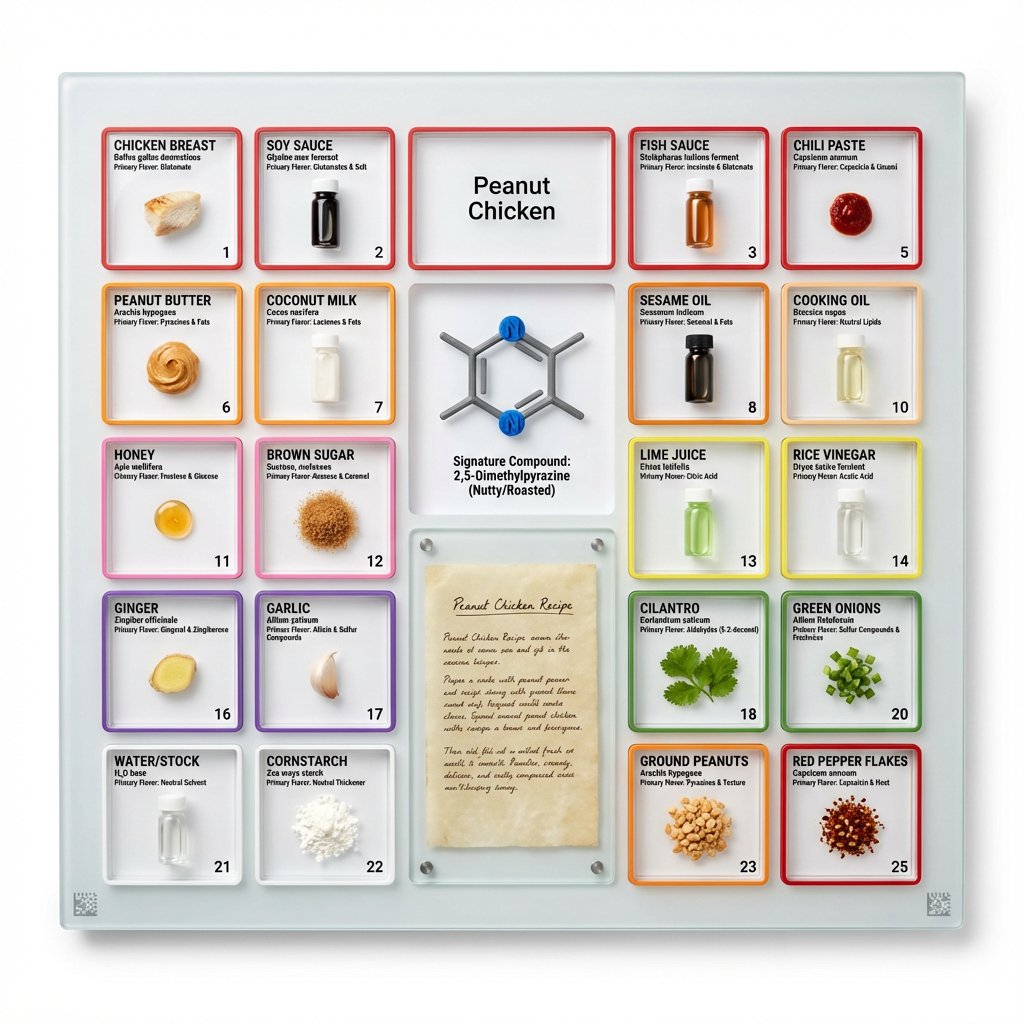
<instruction> Input A is a famous dish (photo or dish name). Analyze the dish's complete ingredient breakdown, primary flavor compounds, chemical interactions, and scientific basis for why ingredients work together. Optional Input B is a style reference (laboratory equipment / tech product packaging). If missing, choose scientific periodic table meets Apple product design aesthetic. Goal: Grid-format display board (20"x16") in periodic table structure, with each ingredient in its own compartment labeled with both culinary and scientific information, color-coded by flavor profile. Rules: Brushed aluminum, white acrylic, or frosted glass backing 20-30 small clear compartments in periodic table grid layout Each compartment contains: ingredient specimen, common name, scientific name, primary flavor molecule Color-coded borders: umami (red), sweet (pink), sour (yellow), bitter (green), fat (orange), aromatic (purple) Center "legend" section: 3D molecular structure diagram of signature compound Lower corner: actual handwritten recipe on aged vellum or parchment under glass AR markers for scanning to see animated 3D molecule models Clean sans-serif typography (like Helvetica or Futura) Minimal design with generous white space Include atomic-style "numbers" for each ingredient showing ratio/importance Output: ONE image, 4:5 clean product photography style with soft shadows on pure white background </instruction>

部分提示词收录自 X 平台创作者,版权归原作者所有。